The Addon Pricing feature in GrubPOS allows users to assign different prices based on addon sizes.
Steps to Assign Sizes and Prices to Addons
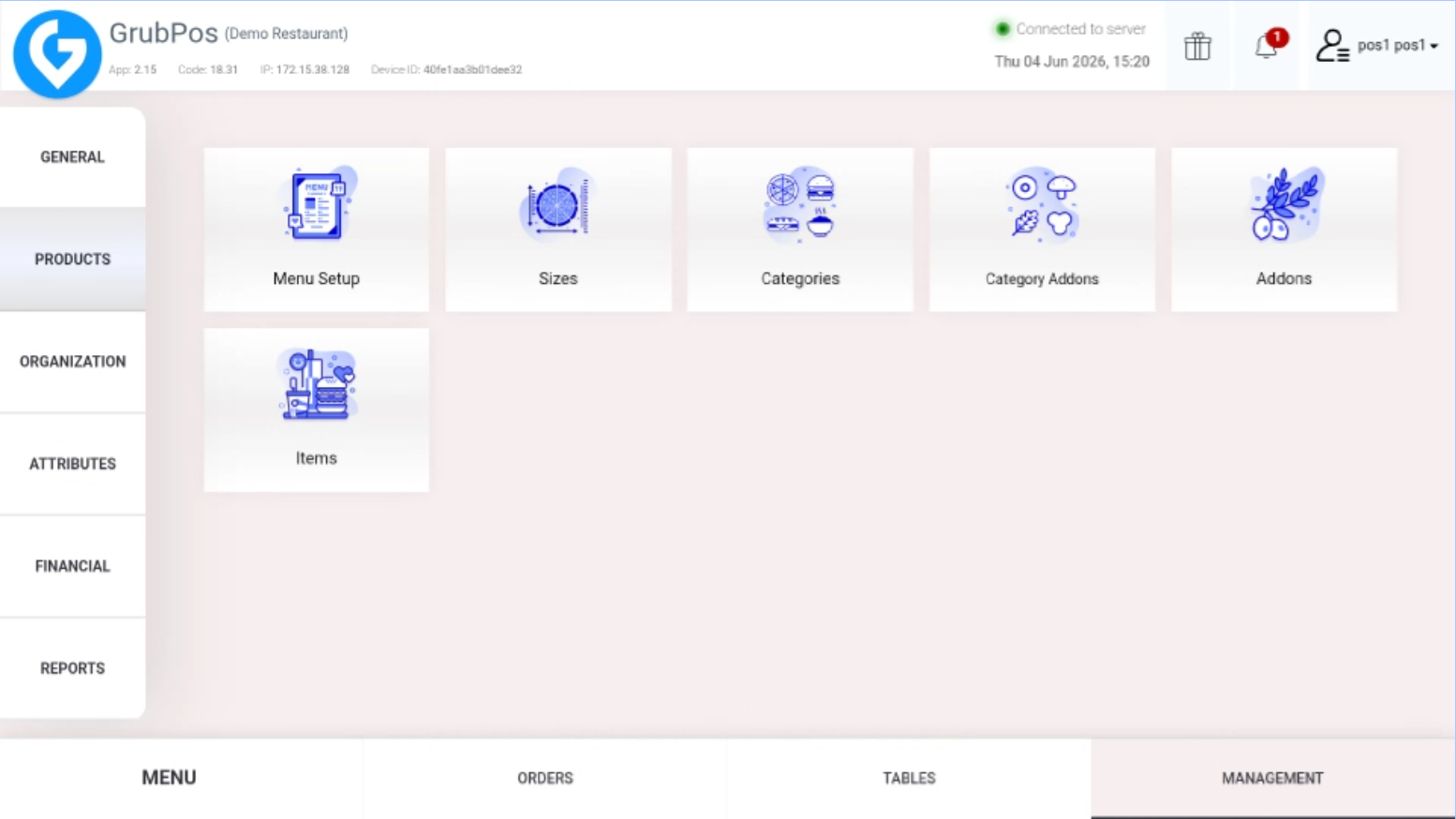
- Go to Management > Products > Addons
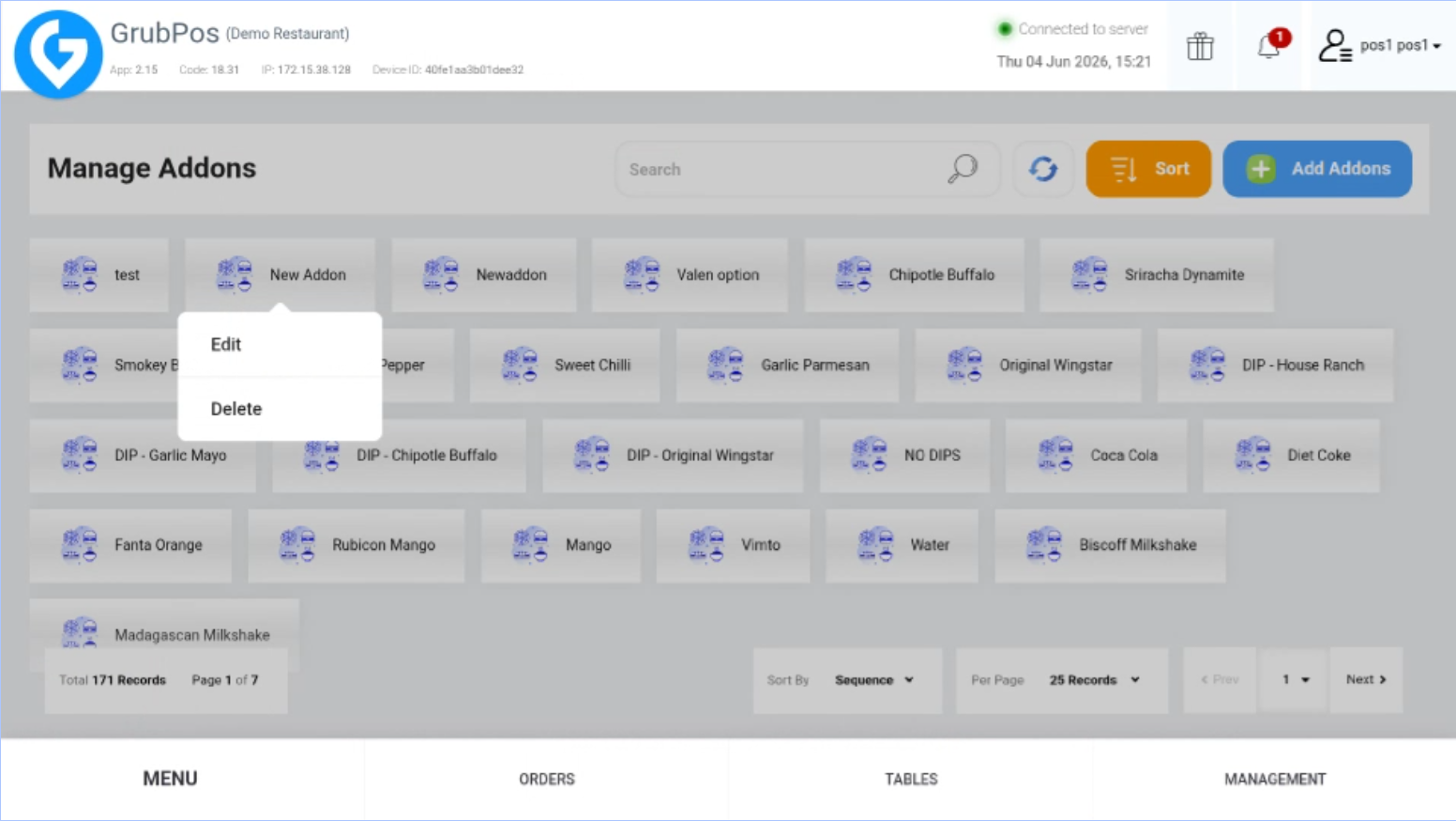
- Select the addon and click Edit (if the addon is already created) or click Add Addons (for a new addon)
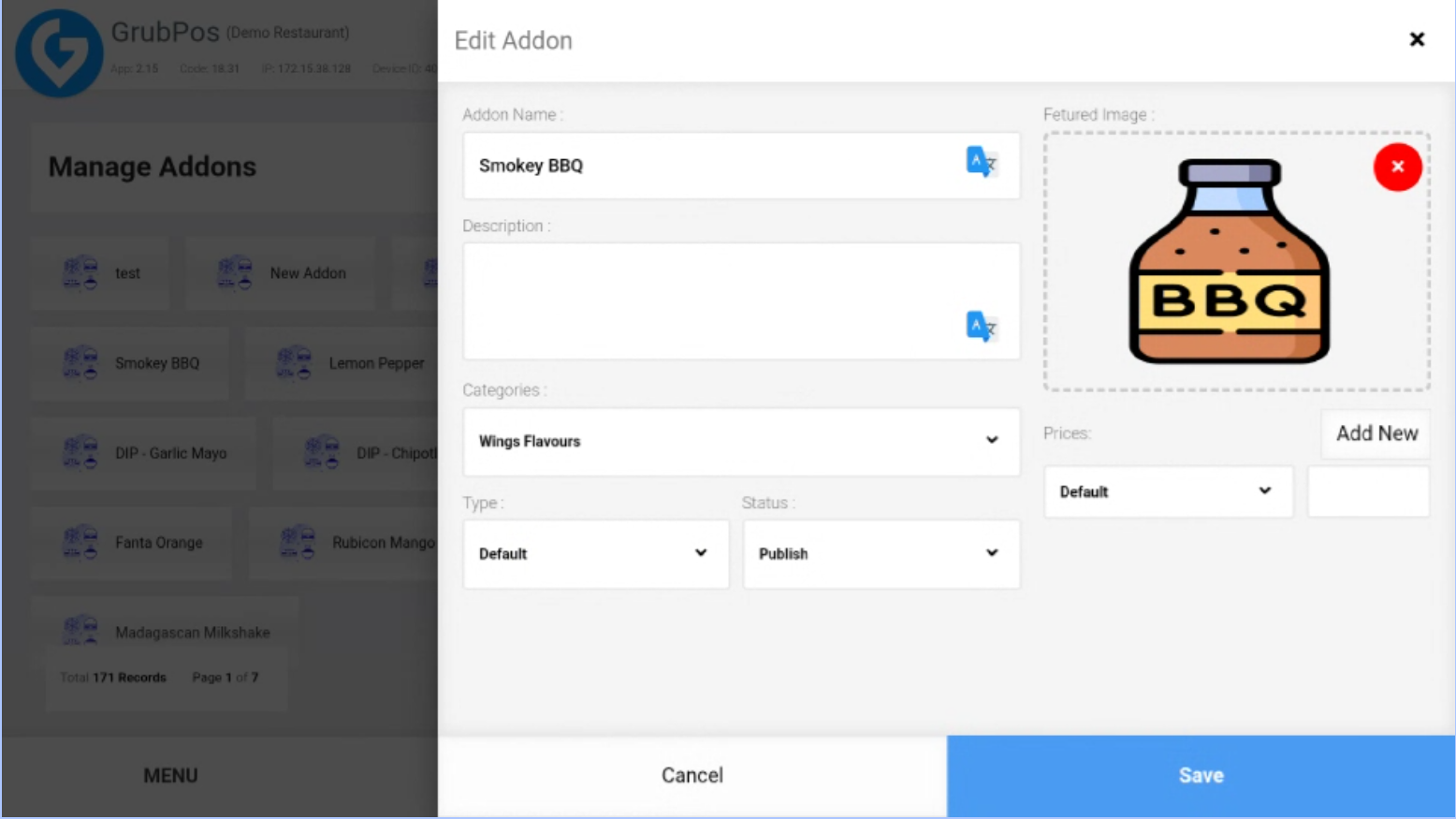
- In the Prices section, click Add New
- Click Default and select the desired size, then enter the price for that size
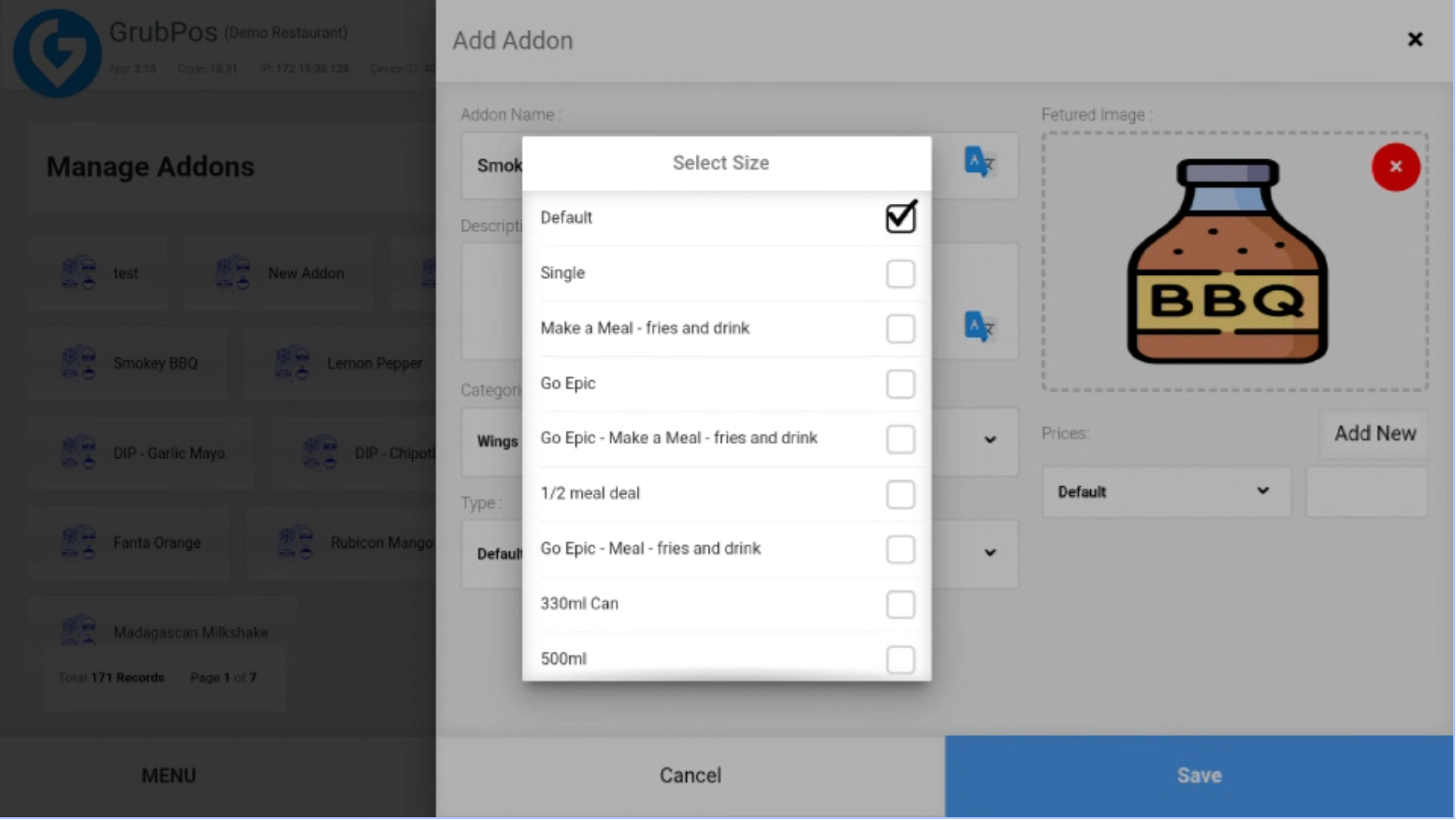
- Add more price entries if the addon has multiple sizes
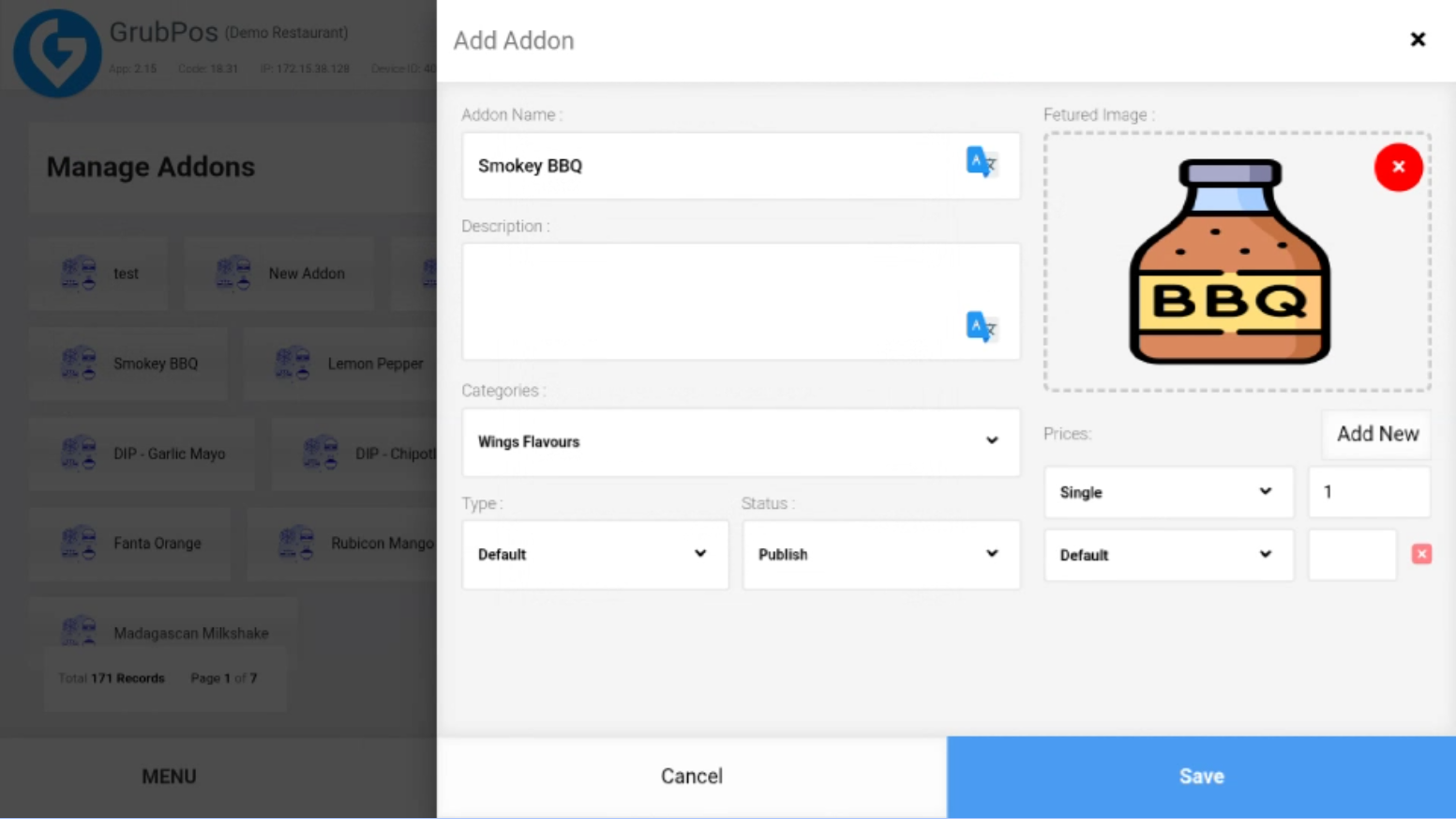
- Click Save to apply the changes
Was this article helpful?
That’s Great!
Thank you for your feedback
Sorry! We couldn't be helpful
Thank you for your feedback
Feedback sent
We appreciate your effort and will try to fix the article