The Manage Sizes feature in GrubPOS allows users to create and organize product sizes for menu items, helping restaurants manage different portion or pricing options efficiently.
How to Add a New Size
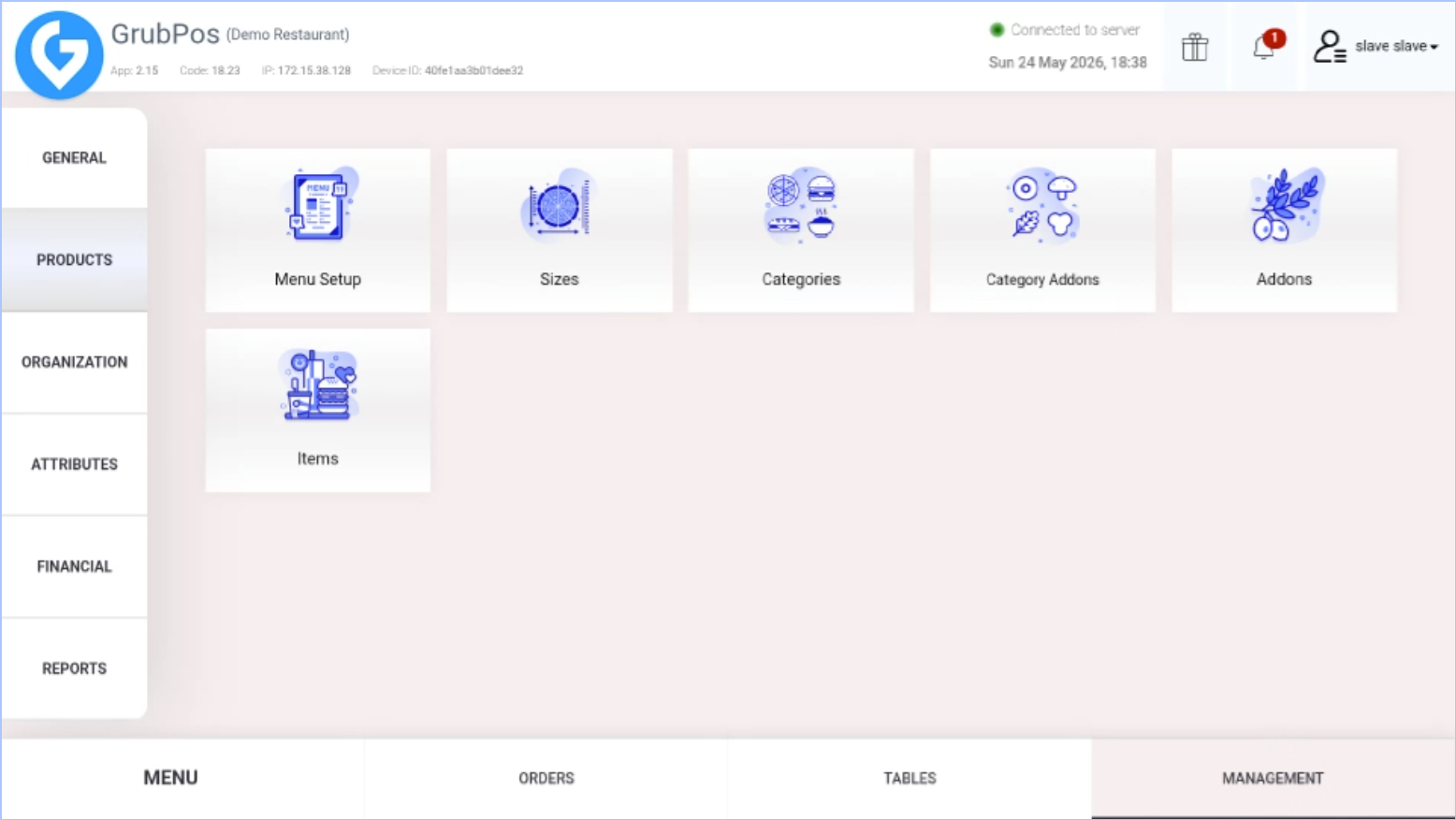
- Go to Management > Products > Sizes
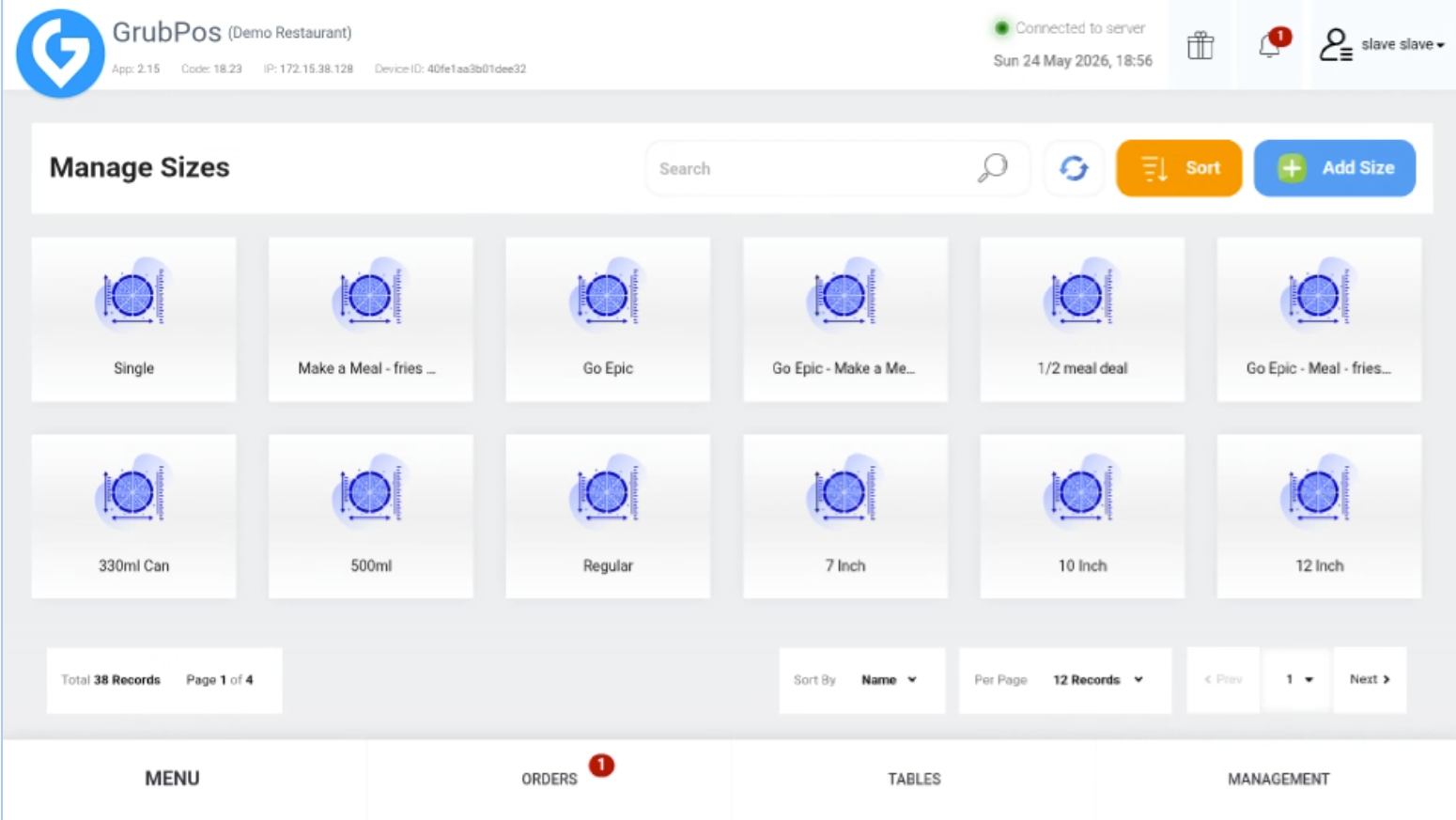
- Click Add Size
- Fill in the required details, including:
- Size Name
- Status
- Kitchen Message (Optional)
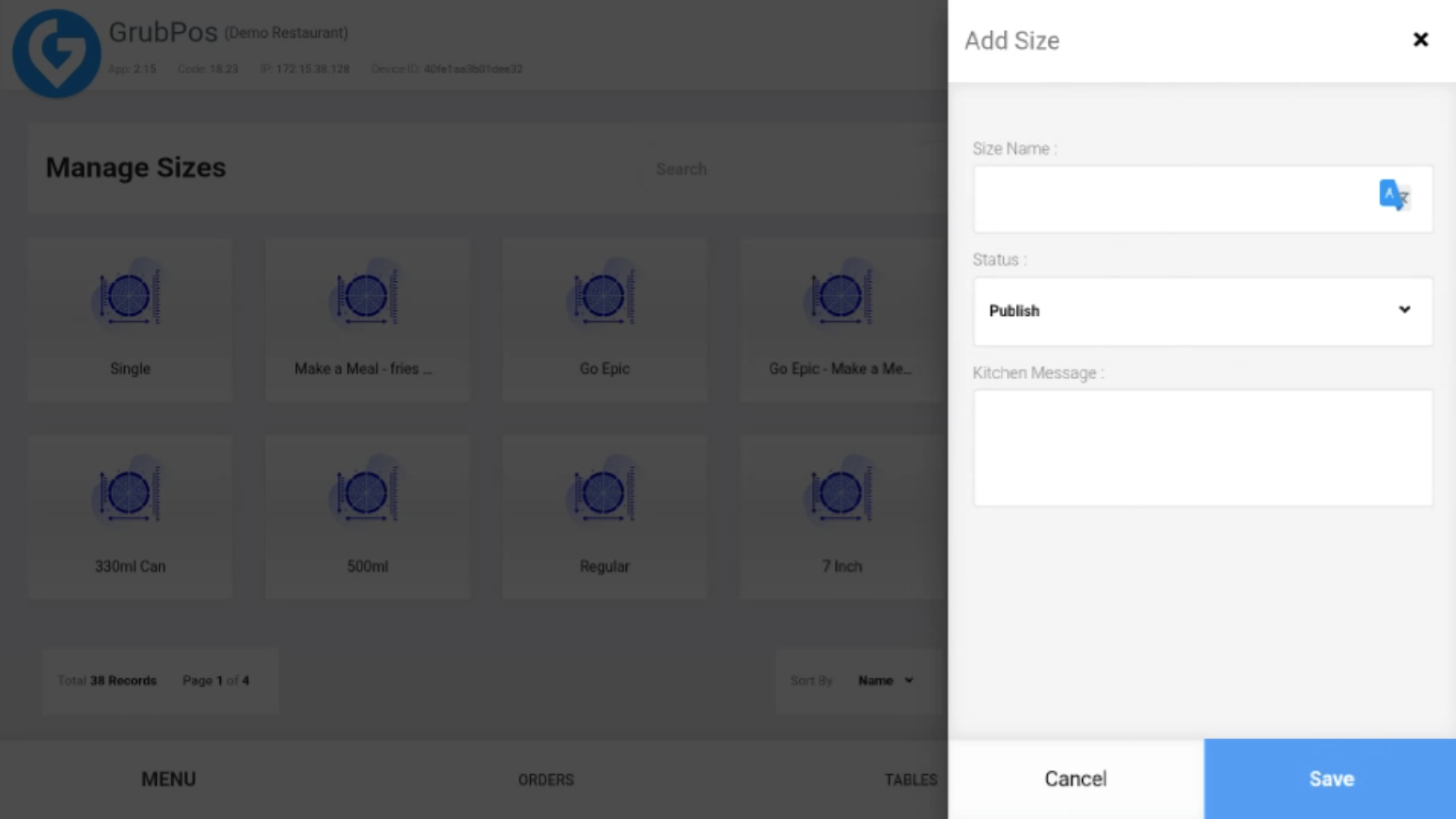
- Click Save to add the new size
Additional Features
- You can edit existing sizes anytime.
- You can delete sizes that are no longer needed.
- You can sort sizes based on your preferred order.
Was this article helpful?
That’s Great!
Thank you for your feedback
Sorry! We couldn't be helpful
Thank you for your feedback
Feedback sent
We appreciate your effort and will try to fix the article