The Hidden Times feature in GrubPOS allows users to automatically hide product categories during specific days and times.
How to Add Hidden Times
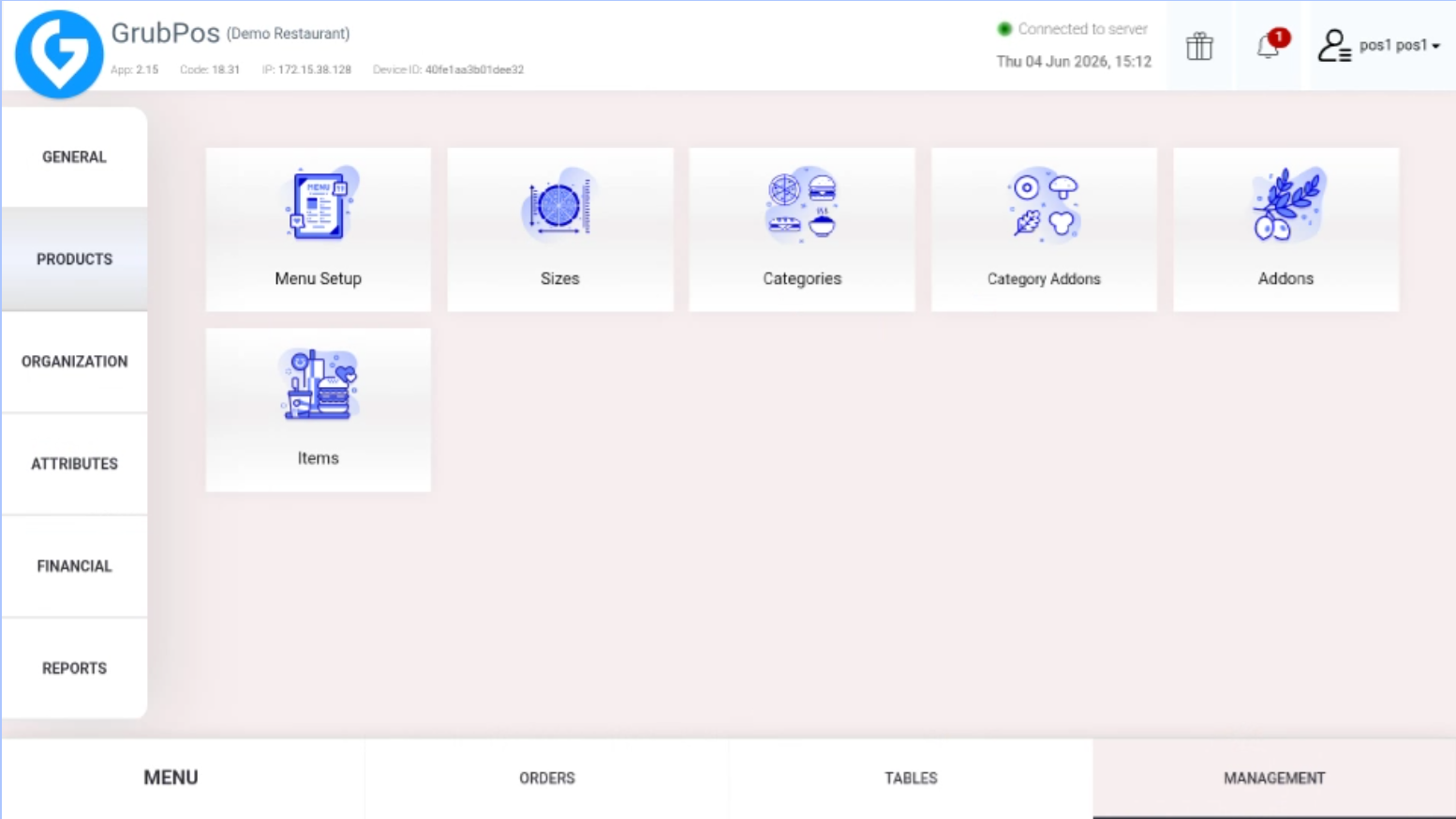
- Go to Management > Products > Categories
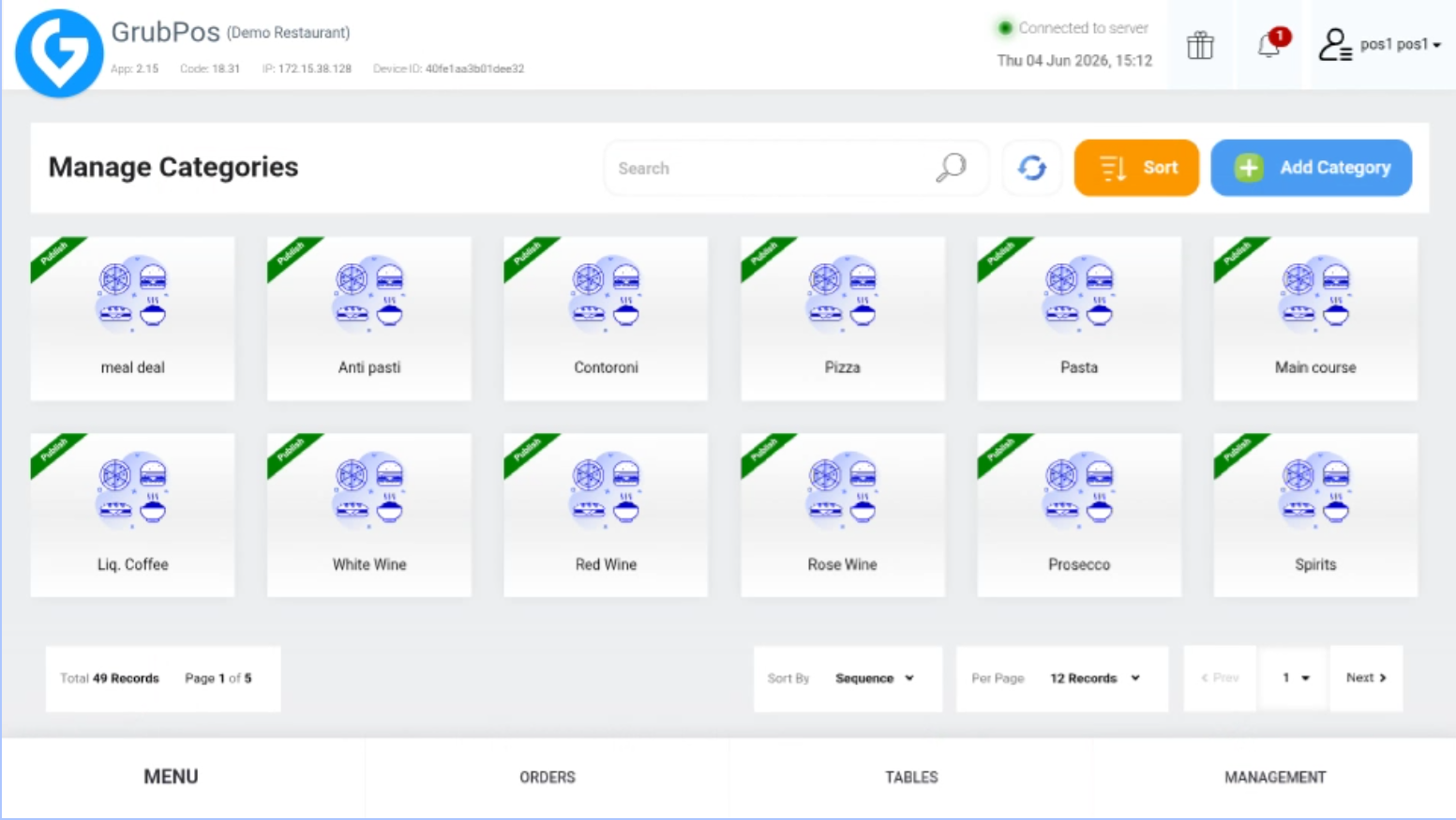
- Select the category you want to update
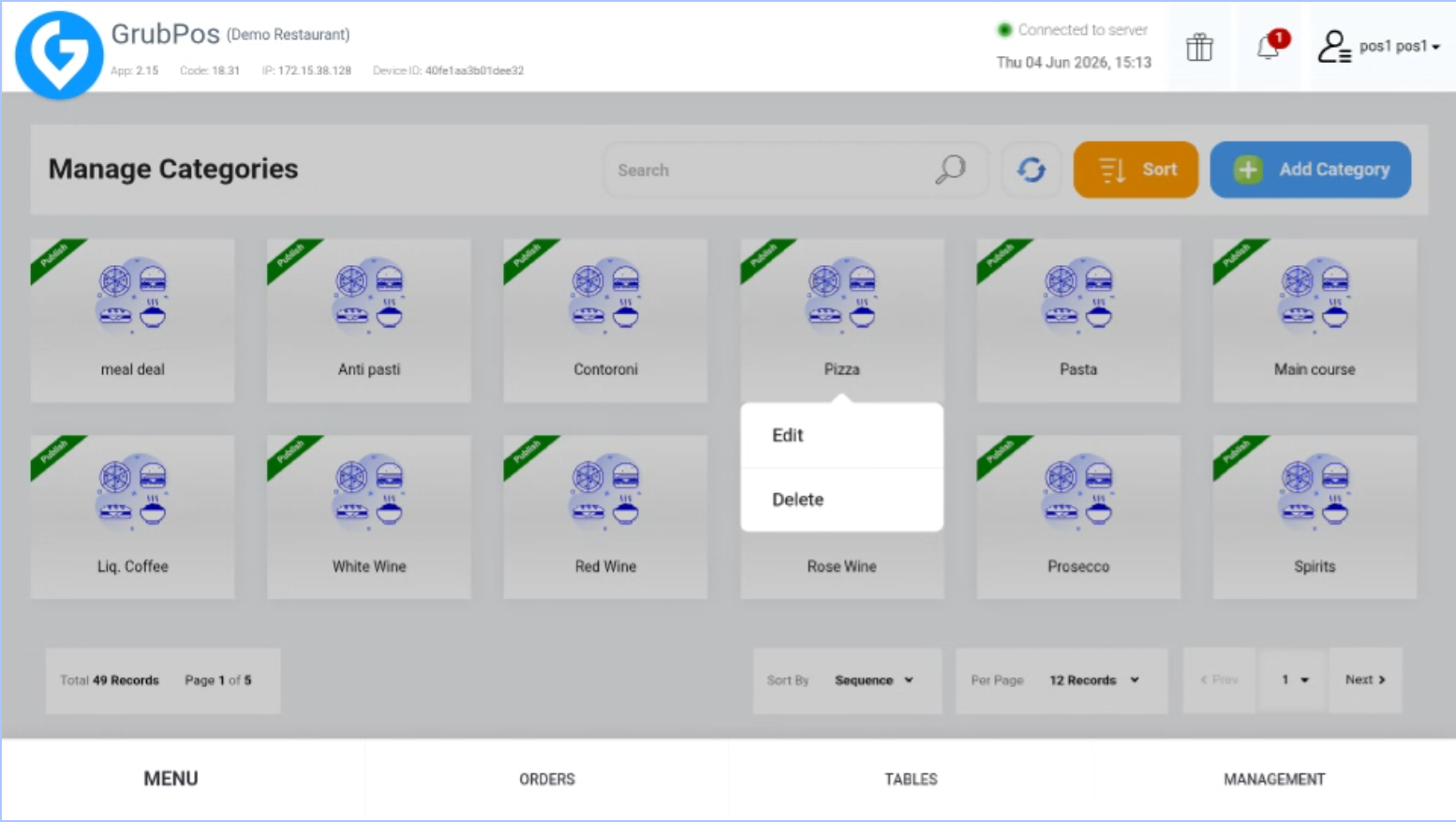
- Click Edit
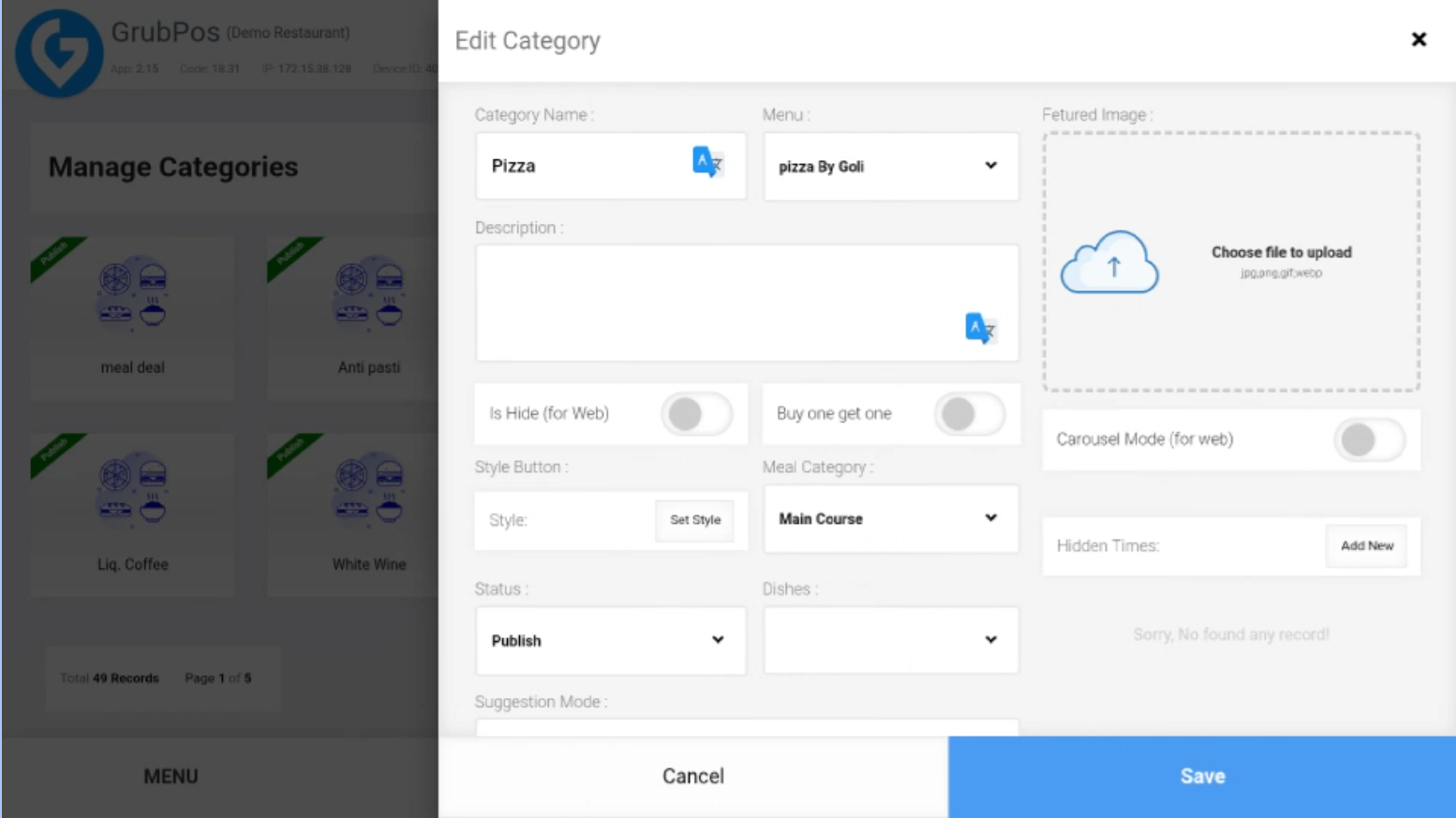
- Look for Hidden Times and click Add New
- Set the day and time when the category should be hidden
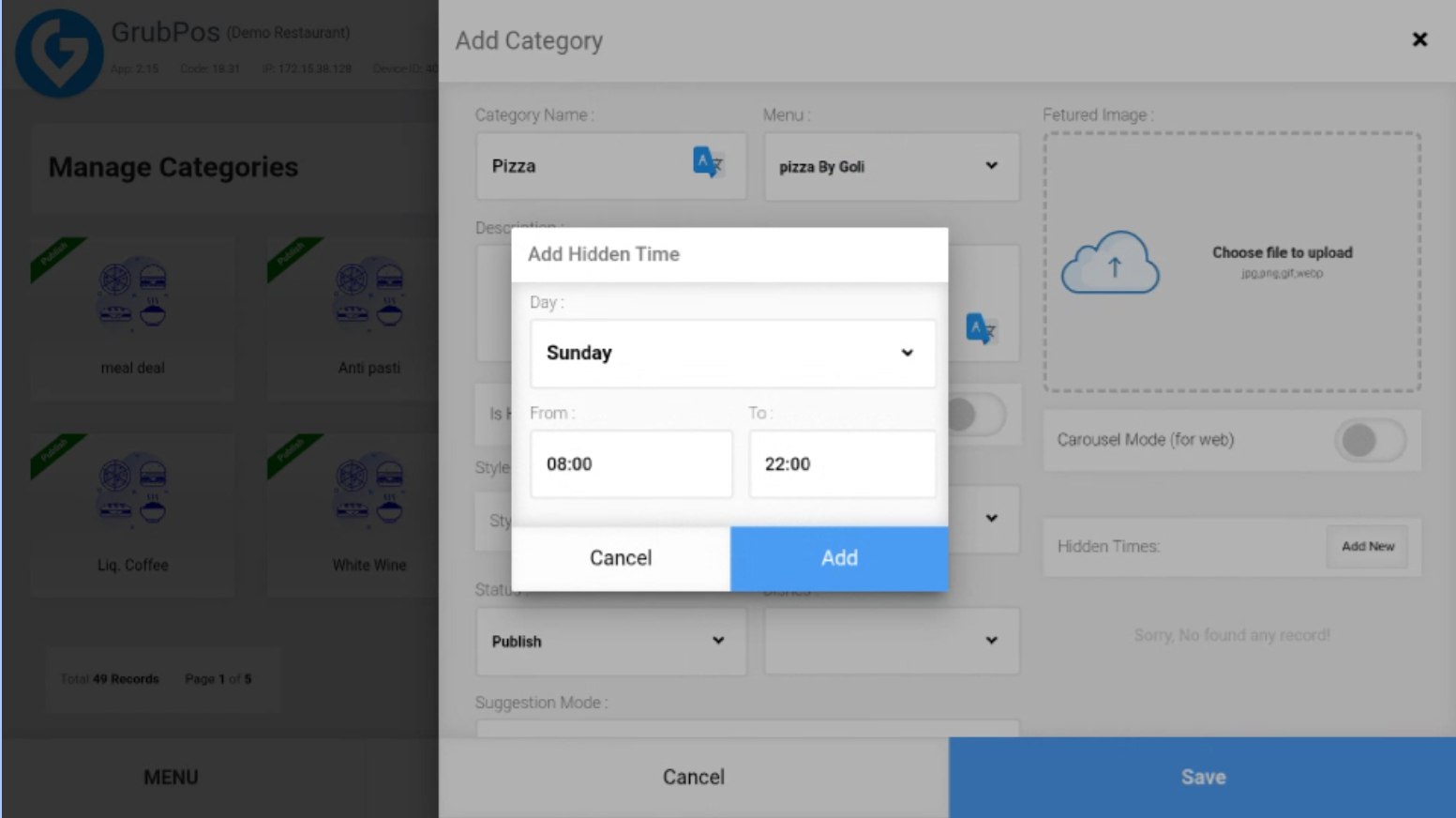
- Click Add. You can add hidden times one by one for each selected day
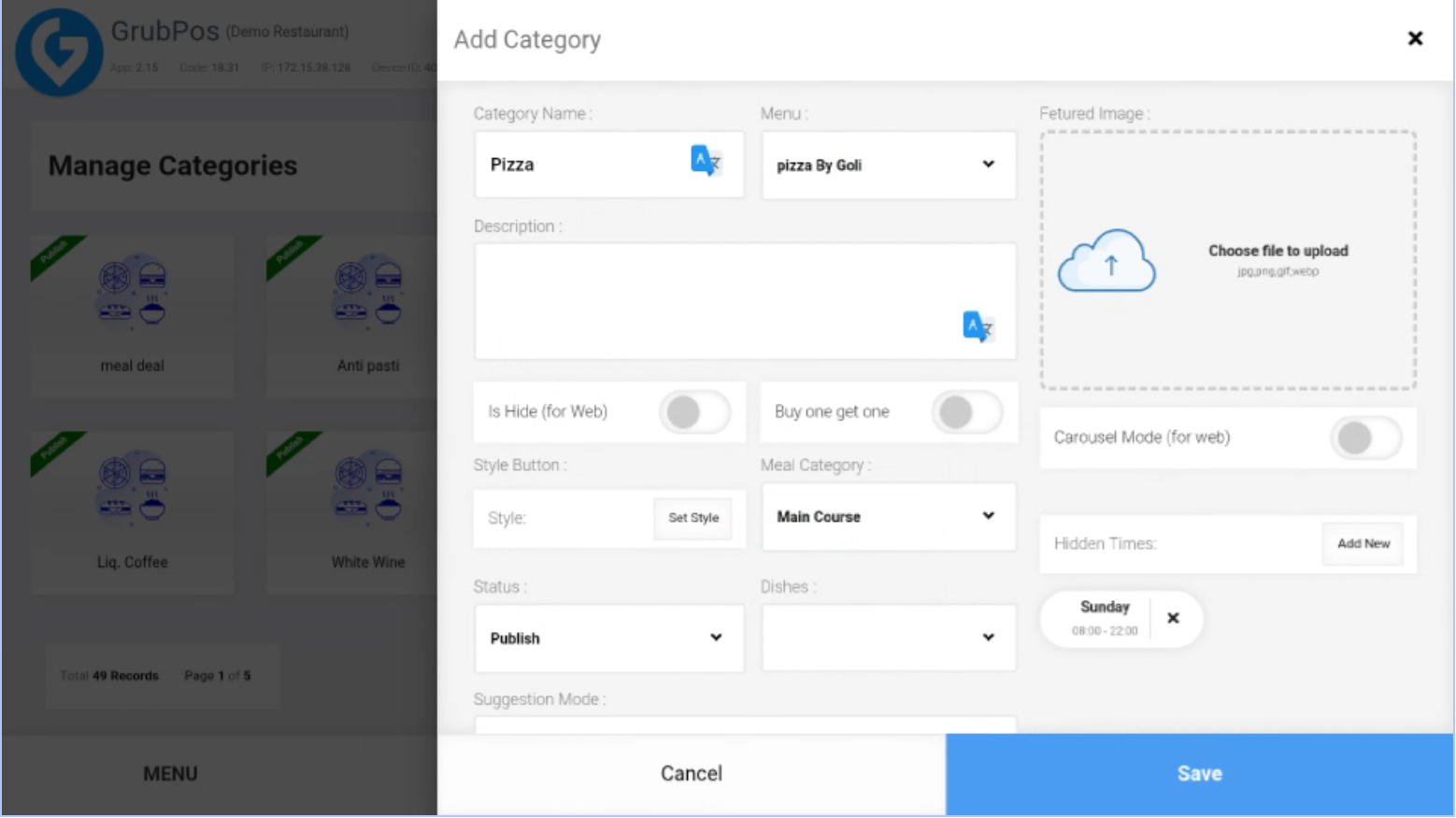
- Click Save to apply the changes
Was this article helpful?
That’s Great!
Thank you for your feedback
Sorry! We couldn't be helpful
Thank you for your feedback
Feedback sent
We appreciate your effort and will try to fix the article