The Menu tab is the main order-taking workspace. Select a menu, choose a category, and then add products from that category to the customer basket.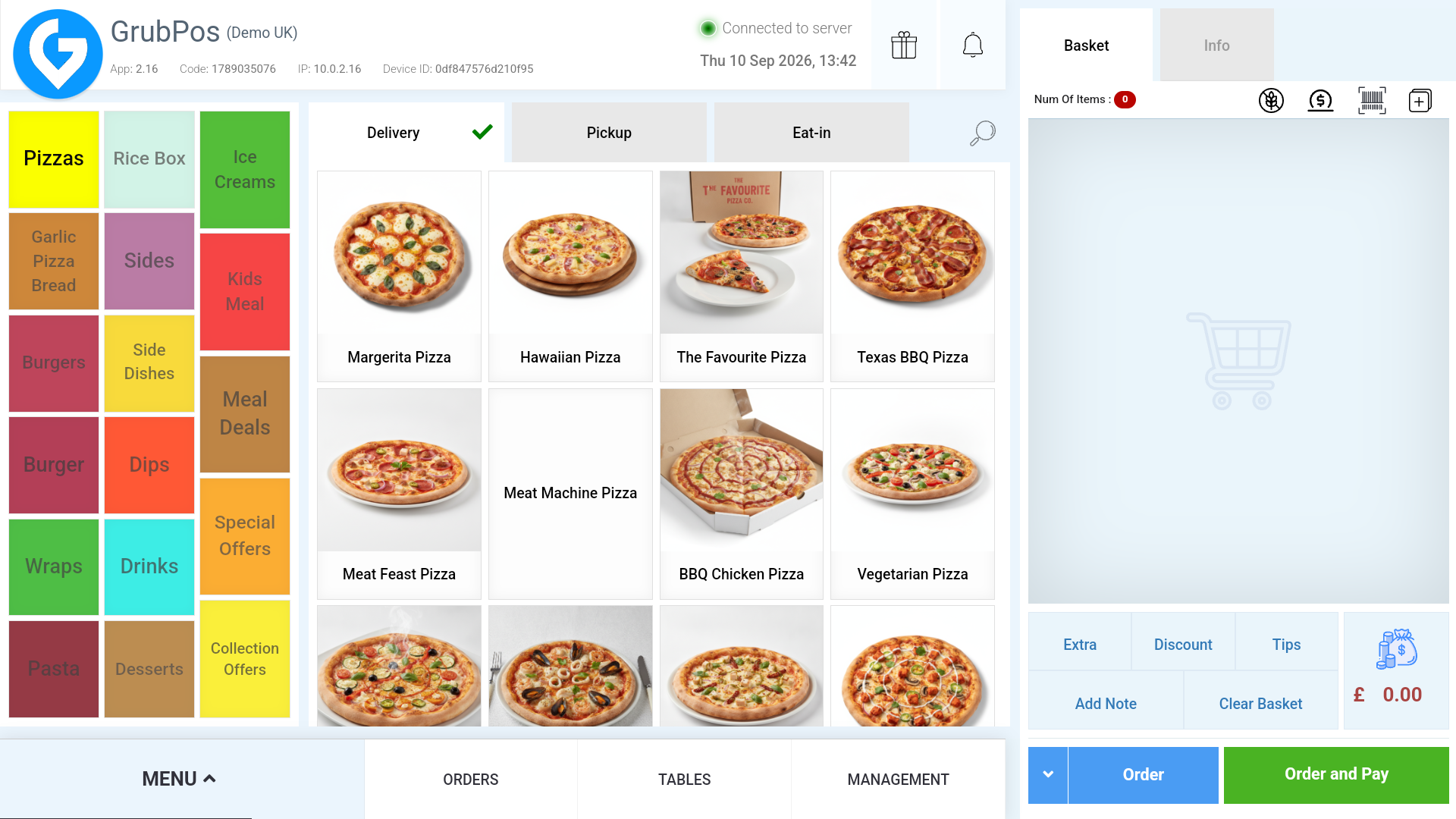
Choose the service
Select the required service from the navigation bar. Depending on the store configuration, available services can include Delivery, Pickup, Eat-in, and Takeaway. Service availability is controlled from Management settings.
Add and edit items
Selecting a product opens its details. Where permitted, you can change the price, add product notes, and add the item to the basket. 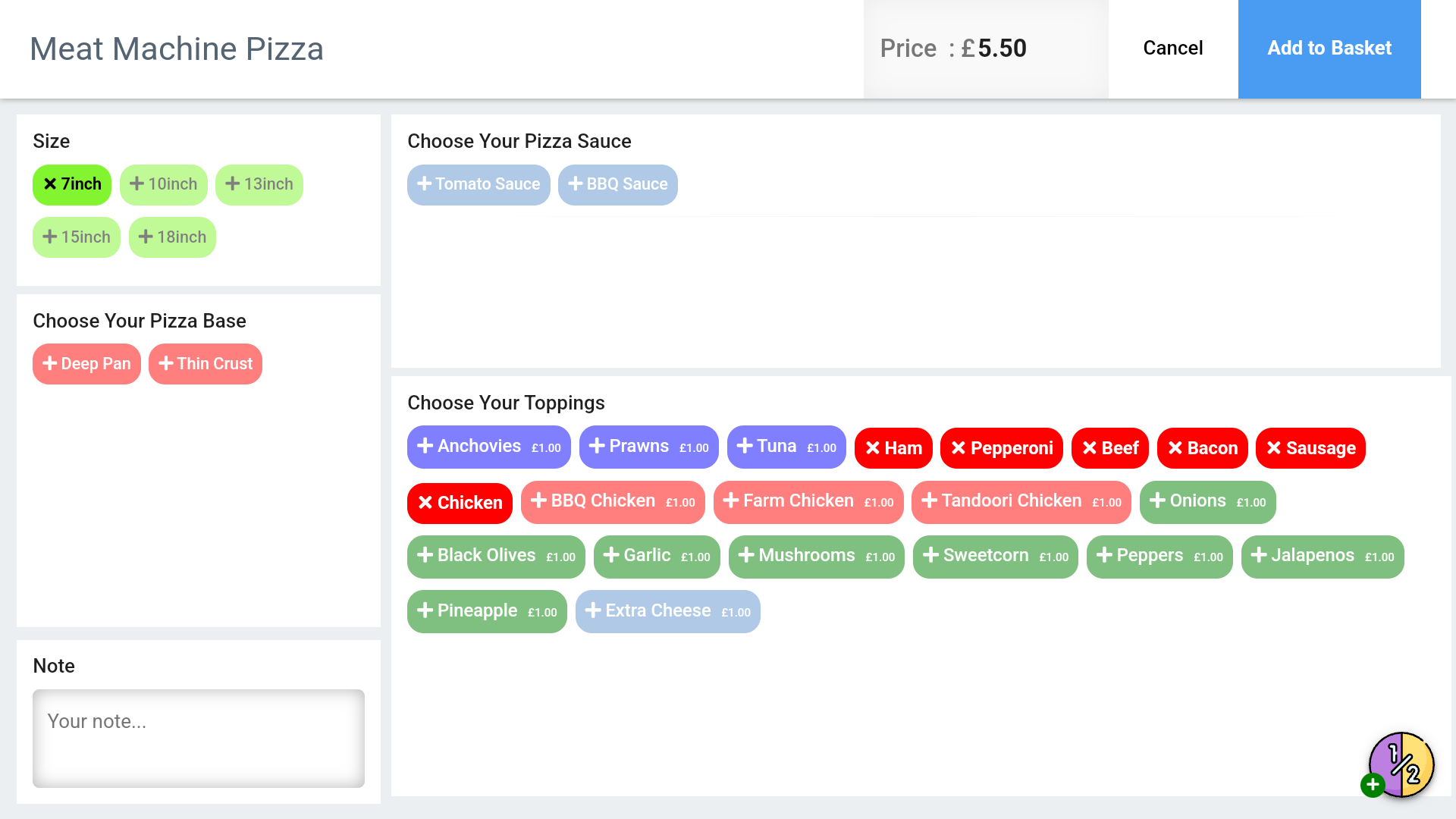
Was this article helpful?
That’s Great!
Thank you for your feedback
Sorry! We couldn't be helpful
Thank you for your feedback
Feedback sent
We appreciate your effort and will try to fix the article