The Product Item Service Option feature in GrubPOS allows users to make items available only for collection or only for delivery.
Steps to Set Only Collection or Only Delivery
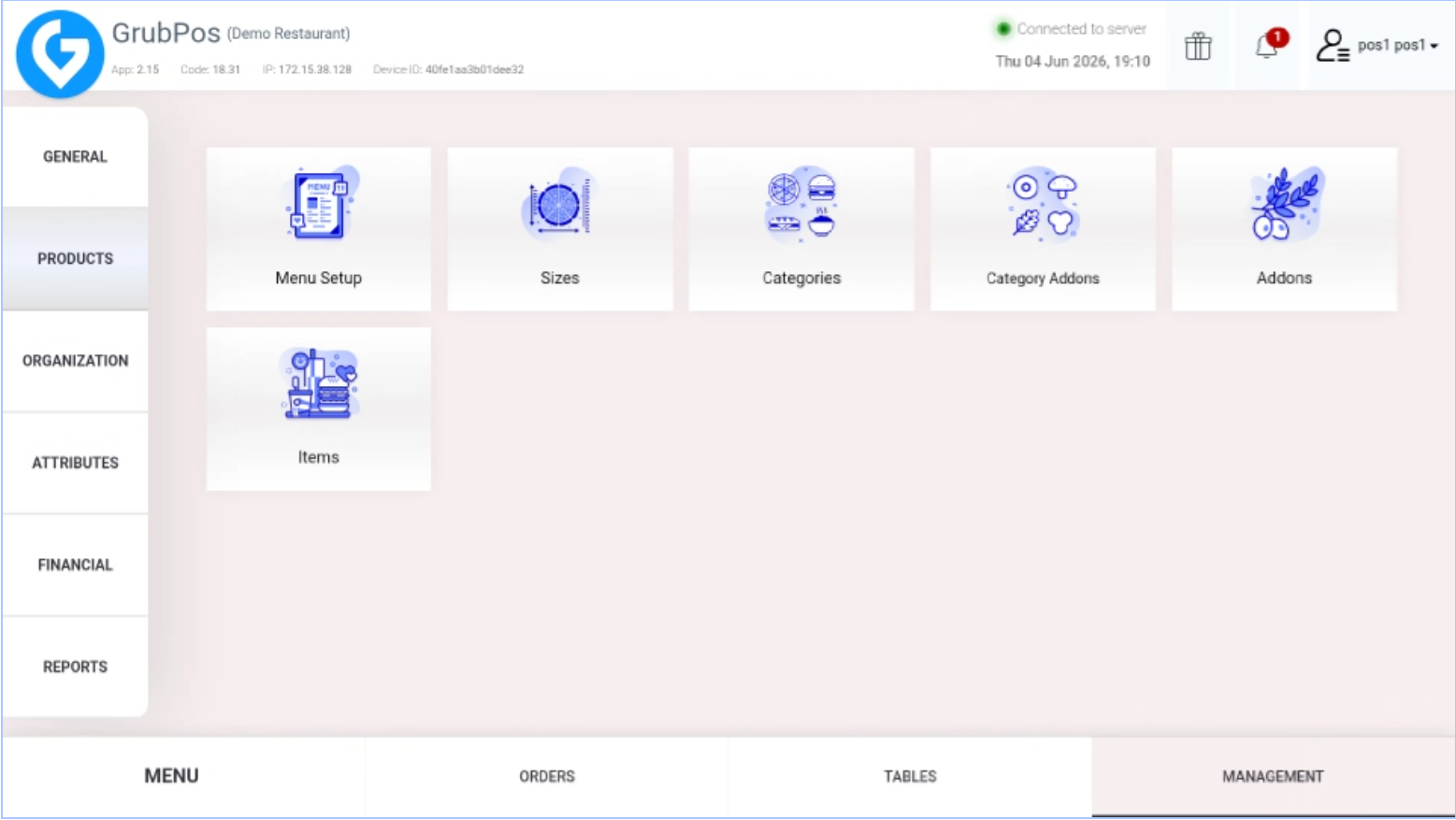
- Go to Management > Products > Items
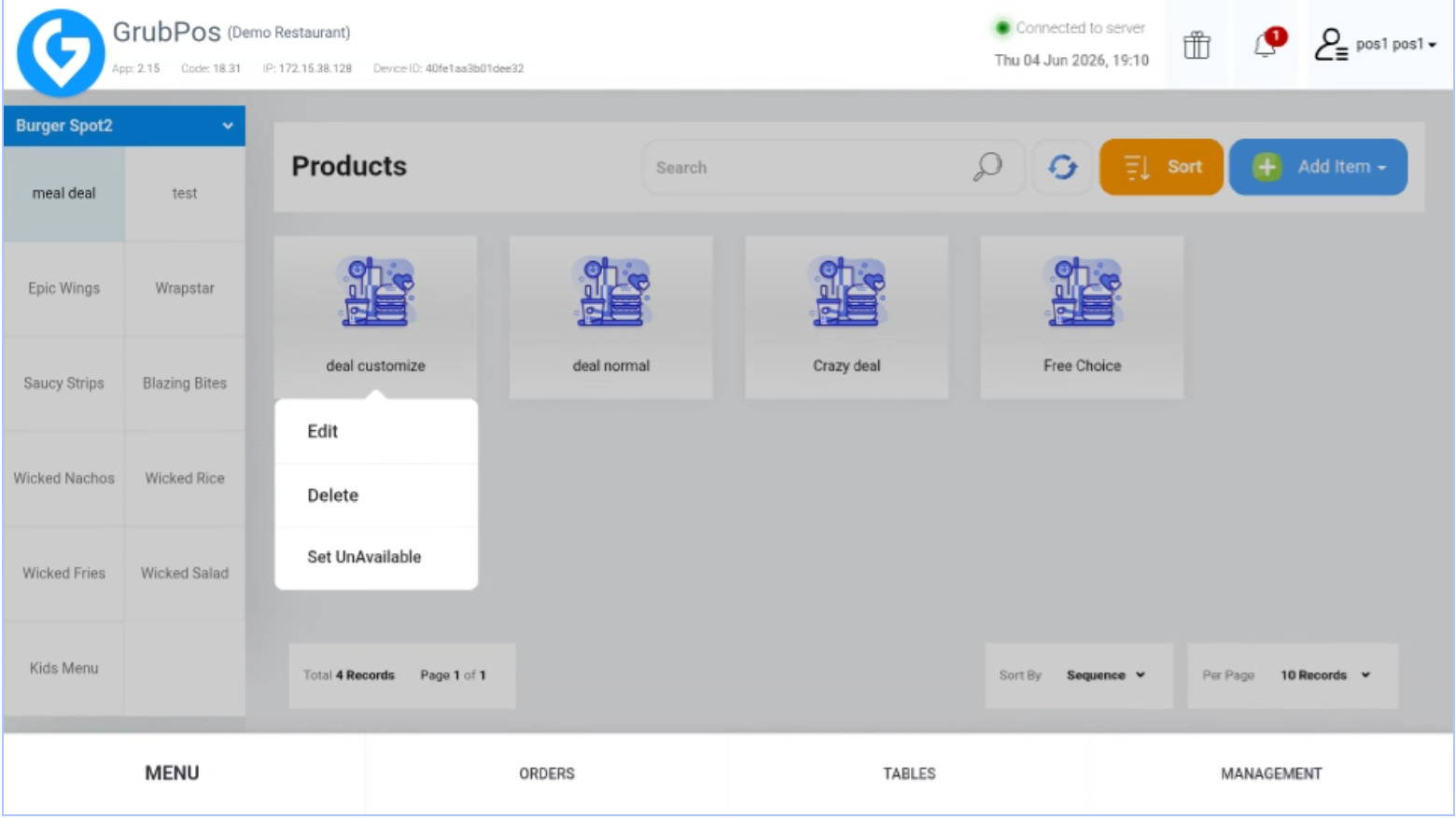
- Select the item and click Edit (if the item is already added) or click Add Item (for a new item)
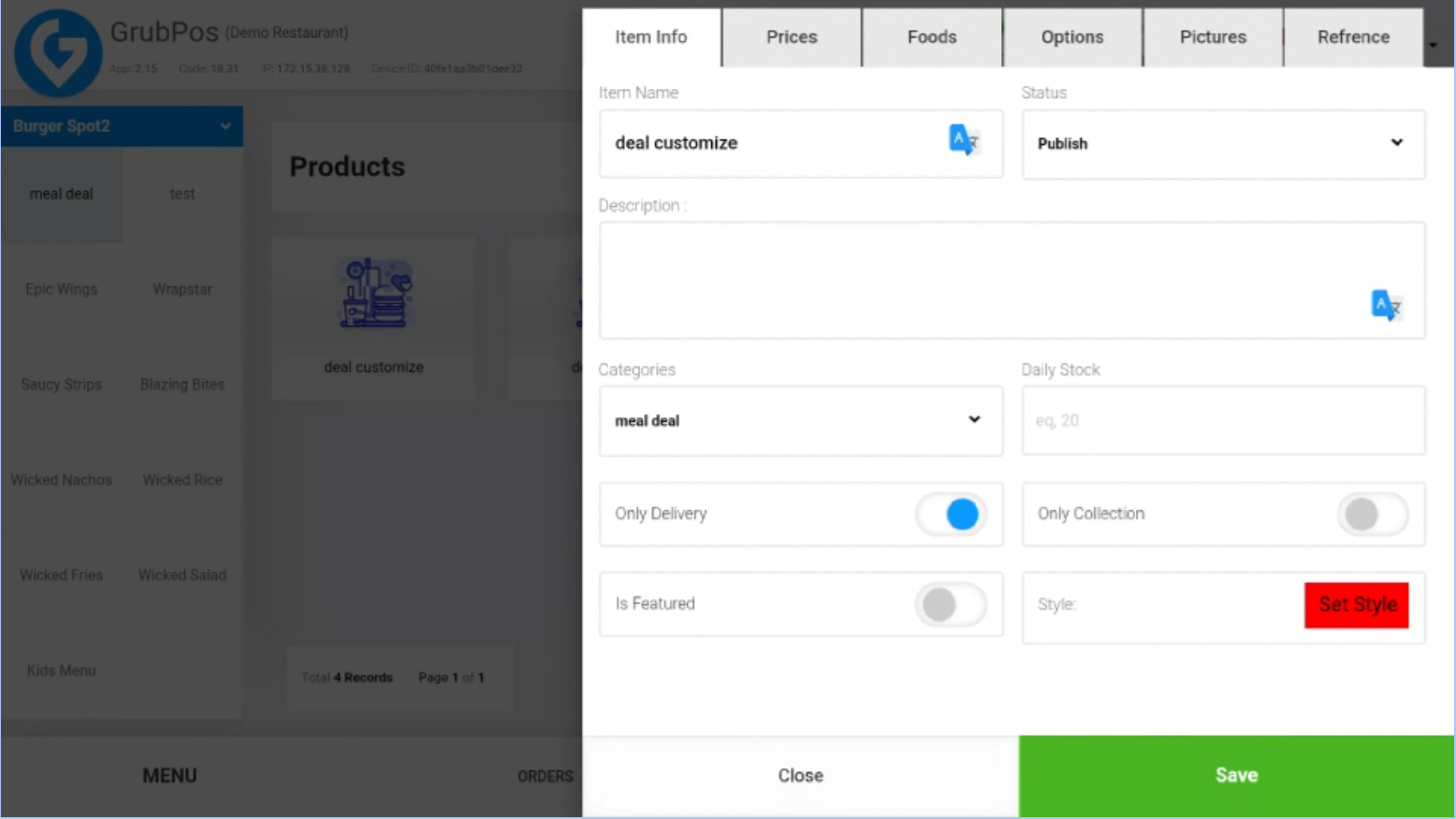
- Tick the icon if:
- Only Collection or
- Only Delivery
- Click Save to apply the changes
Was this article helpful?
That’s Great!
Thank you for your feedback
Sorry! We couldn't be helpful
Thank you for your feedback
Feedback sent
We appreciate your effort and will try to fix the article