The Ingredients Inventory feature in GrubPOS allows users to manage ingredient stock levels, track usage, monitor low-stock items, and organize supplier information efficiently. This helps restaurants maintain accurate inventory records and avoid stock shortages.
How to Add Ingredients
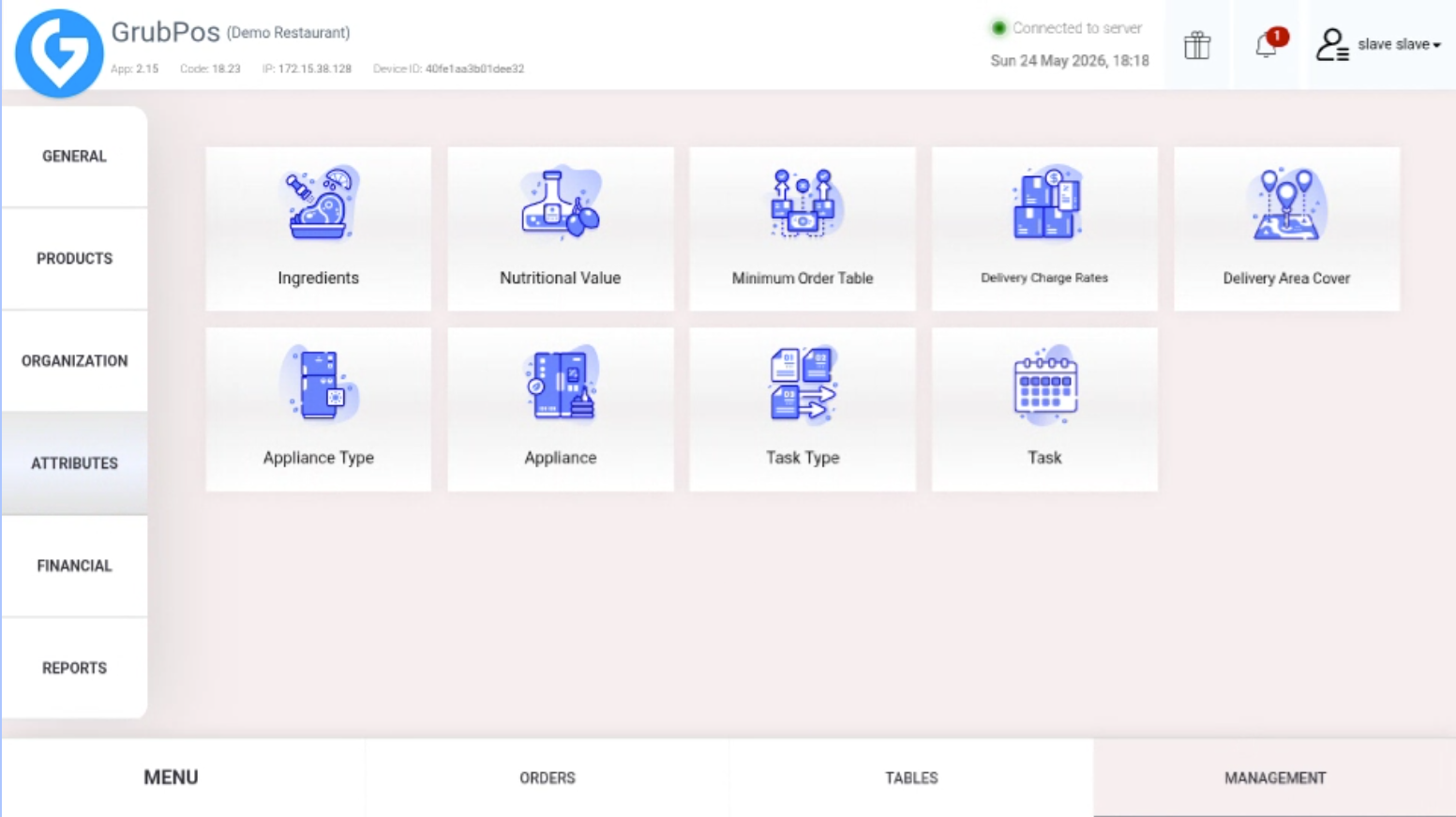
- Go to Management > Attributes > Ingredients
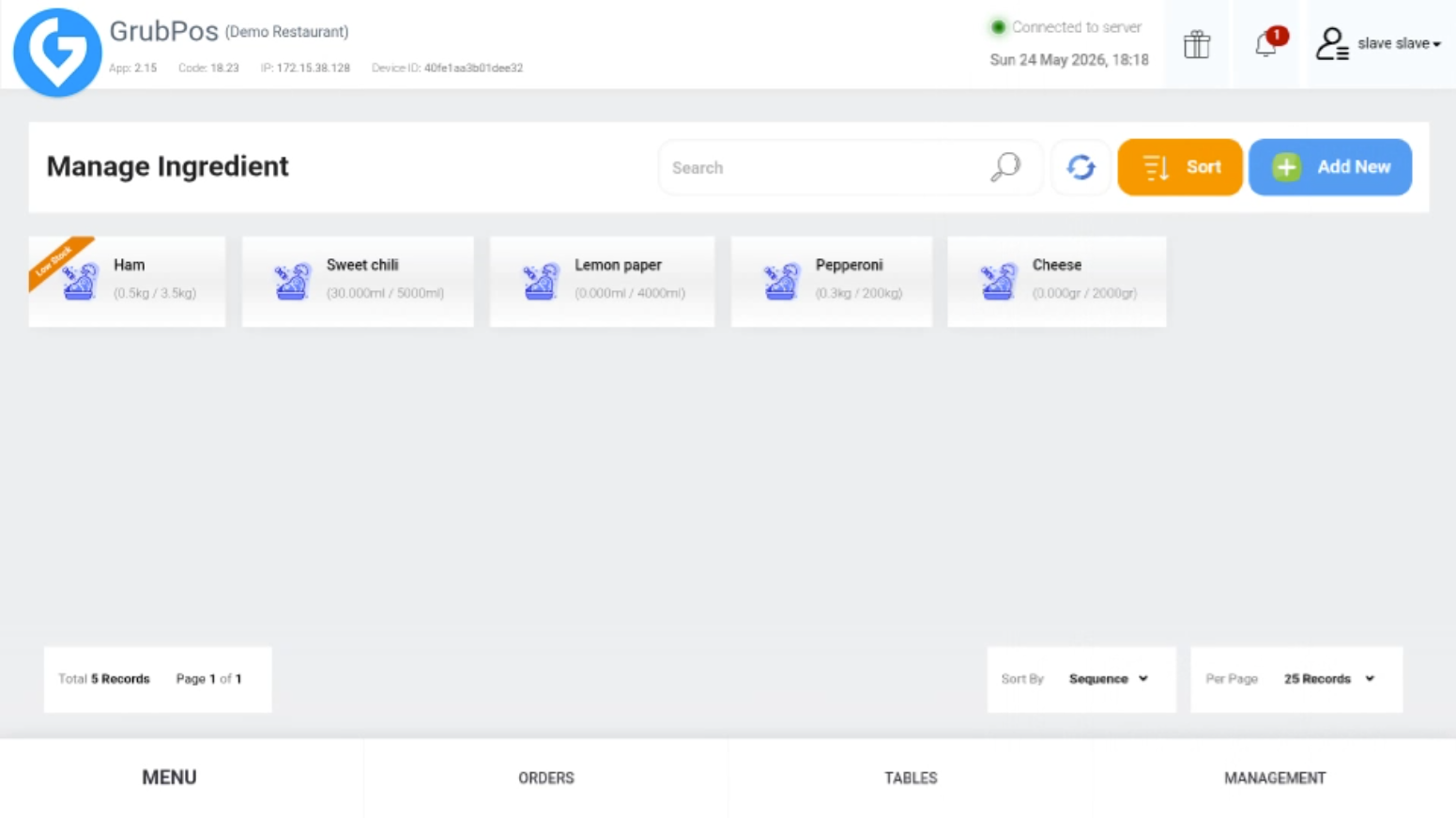
- On the right side of the screen, click Add New
- Fill in the required information, including:
- Ingredient Name
- Stock
- Stock Unit
- Each Unit Fee
- Minimum Stock Alert
- Supplier Gateway
- Status
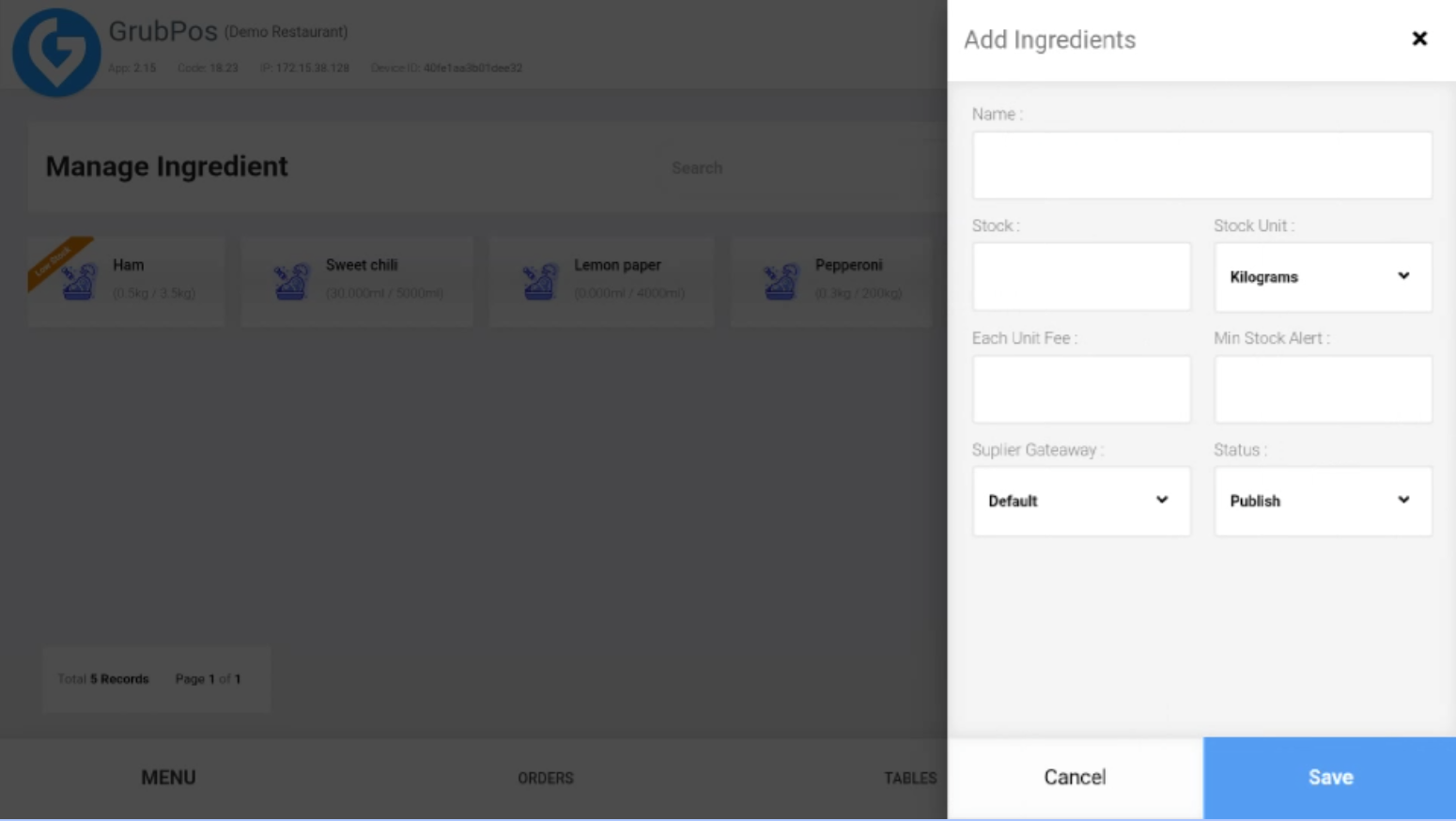
- Save the ingredient details to add the item to the inventory
Additional Features
- Stock Monitoring
- Track current ingredient stock levels in real time.
- Receive alerts when stock reaches the minimum stock threshold.
- Supplier Management
- Assign suppliers to ingredients for easier stock replenishment and order tracking.
- Inventory Status Control
- Enable or disable ingredients using the status option.
- Prevent inactive ingredients from being used in inventory calculations.
- Cost Tracking
- Monitor ingredient costs using the Each Unit Fee field.
- Helps calculate food costs and improve profit management.
- Inventory Organization
- Easily search and manage ingredients from the ingredients list.
- Update ingredient details anytime when stock or pricing changes.
- Low Stock Alerts
- The system highlights ingredients that are running low to help avoid shortages during operations.
Was this article helpful?
That’s Great!
Thank you for your feedback
Sorry! We couldn't be helpful
Thank you for your feedback
Feedback sent
We appreciate your effort and will try to fix the article