The X Report in GrubPOS is a real-time sales report that shows the current trading activity of the day without closing the shift. It provides an overview of sales performance, including total orders, payment breakdowns (cash and card), delivery and takeaway sales, expenses, unpaid amounts, and the current till balance. It is mainly used for monitoring daily performance while the business is still operating.
How to Generate X Report
- Go to Management > Reports > X Report
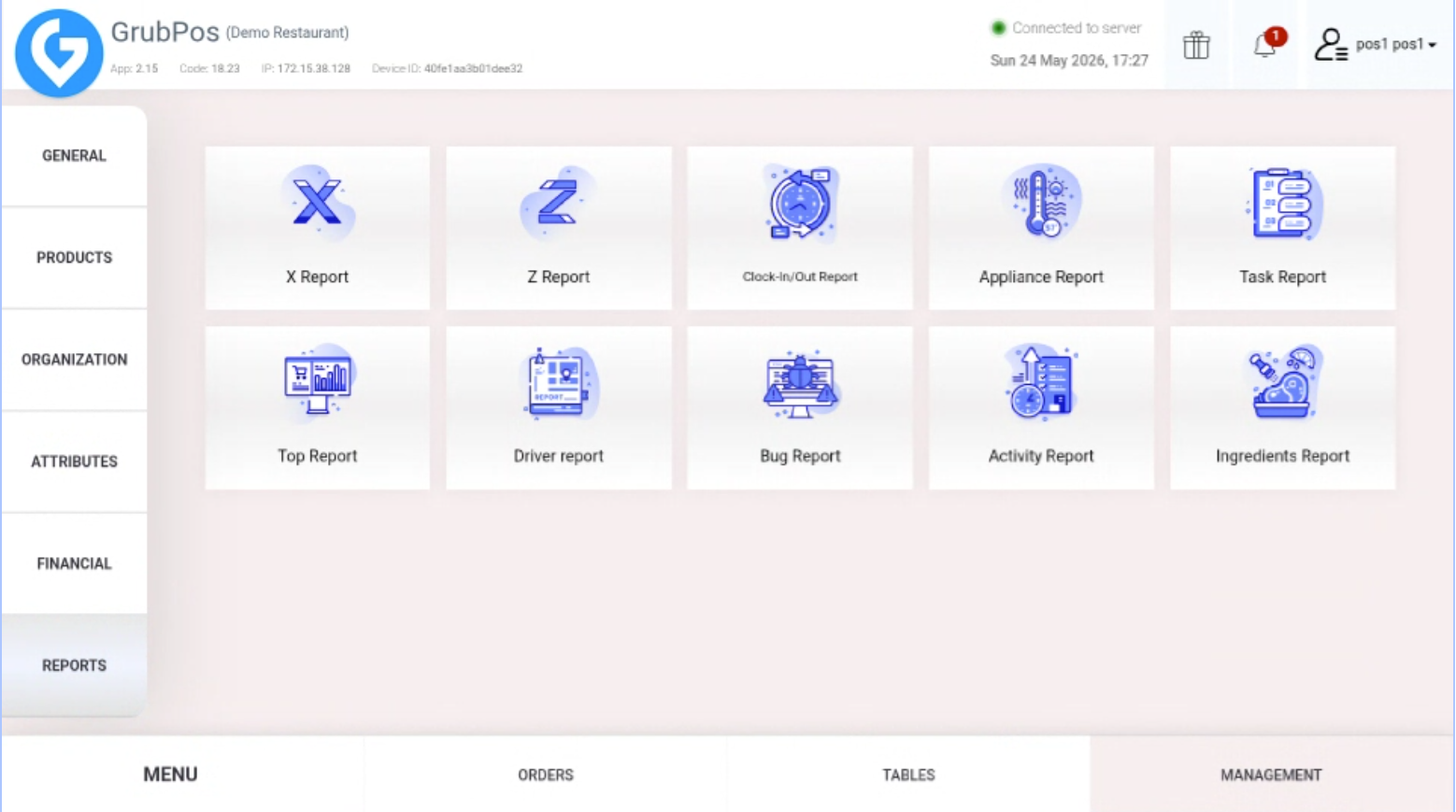
- On the right side of the screen, the X Report for the day will be displayed
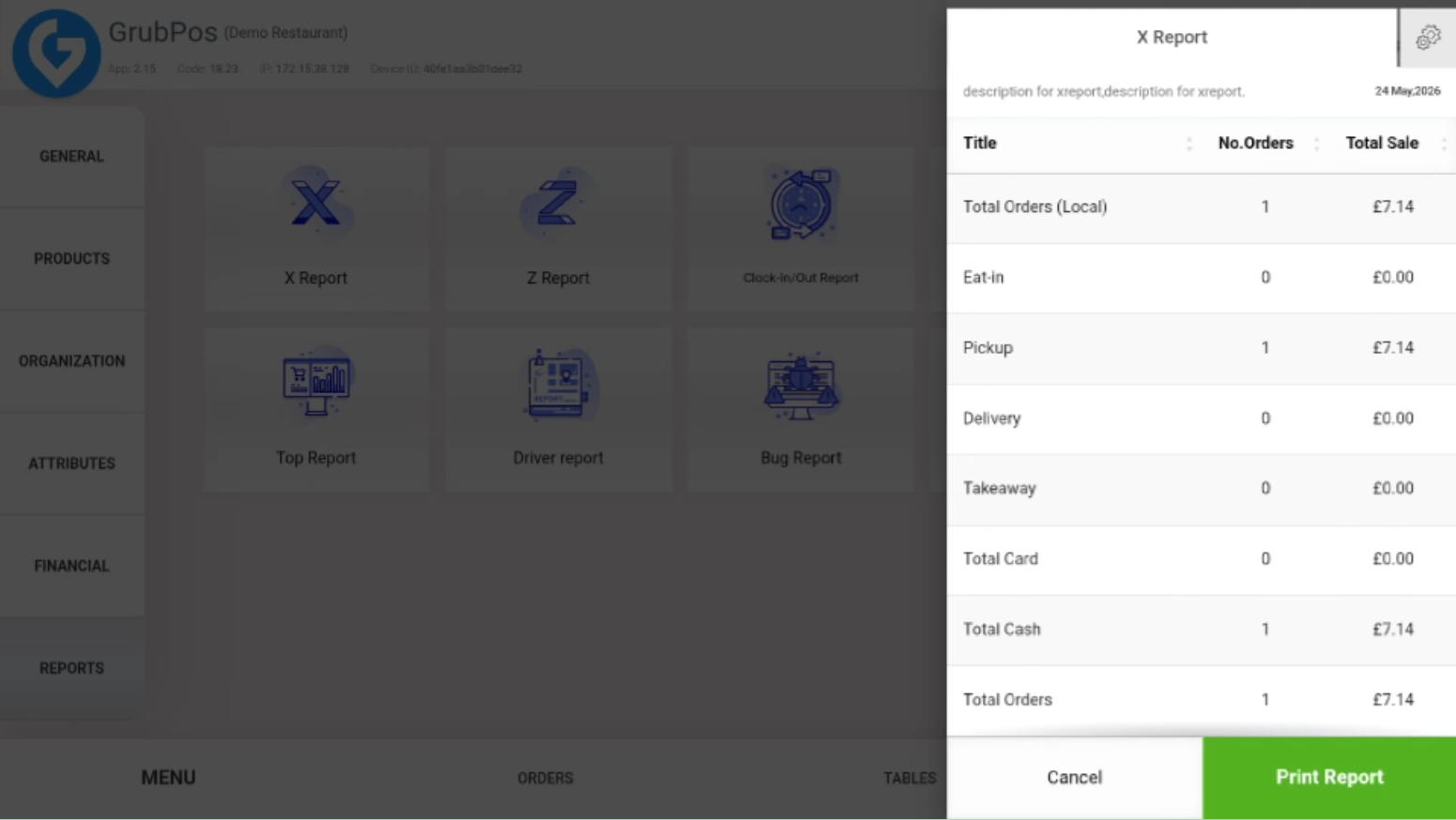
- Review key details including:
- Total sales and number of orders (Delivery, Takeaway)
- Total card payments, cash payments, and total orders
- Expenses, total unpaid amounts, and total in till
- Click Print Report if you need a hard copy of the report
Was this article helpful?
That’s Great!
Thank you for your feedback
Sorry! We couldn't be helpful
Thank you for your feedback
Feedback sent
We appreciate your effort and will try to fix the article