The Z Report in GrubPOS is an end-of-day summary report used to close and finalize the business trading session. It provides a complete overview of sales, payments, orders, expenses, refunds, and till balances, then resets the sales data for the next business day.
How to Generate Z Report
- Go to Management > Reports > Z Report
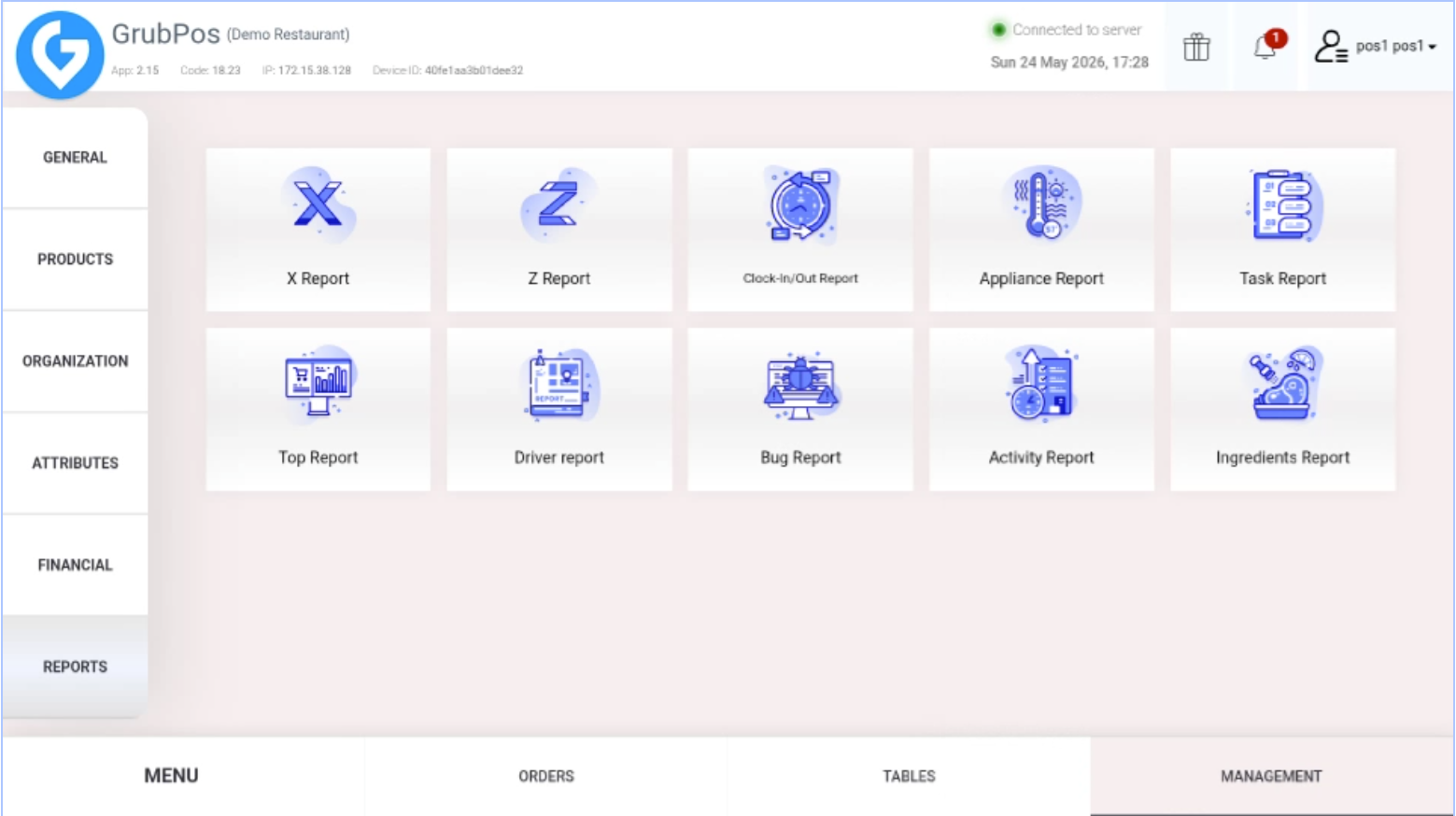
- Click Z Report
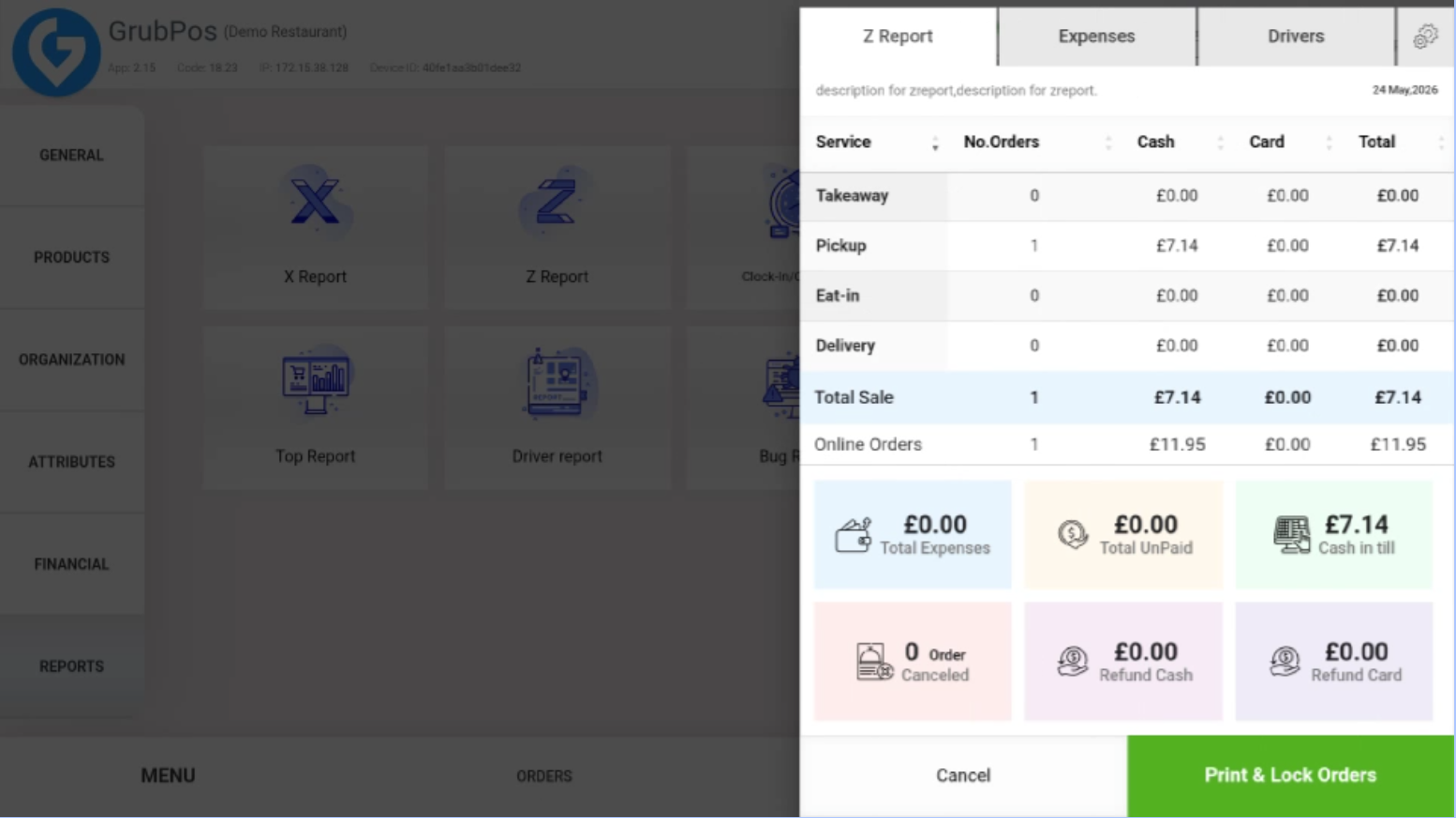 The Z Report will display the following details:
- Total expenses
- Unpaid amounts
- Cash in till
- Cancelled orders
- Cash refunds
- Card refunds
- Number of orders, Total cash payments, Total card payments, and Total sales, for takeaway, pickup, eat-in, delivery, and online orders.
- Click Print Report if you need a hard copy of the report
Features
- Expenses: View expense amounts and total expenses. Reports can also be printed.
- Drivers: View drivers’ total orders, cash payments, and card payments. Driver reports can also be printed.
Was this article helpful?
That’s Great!
Thank you for your feedback
Sorry! We couldn't be helpful
Thank you for your feedback
Feedback sent
We appreciate your effort and will try to fix the article