The Open/Close settings in GrubPOS allow users to control store and delivery availability and set operating hours.
Steps to Open/Close Store and Website
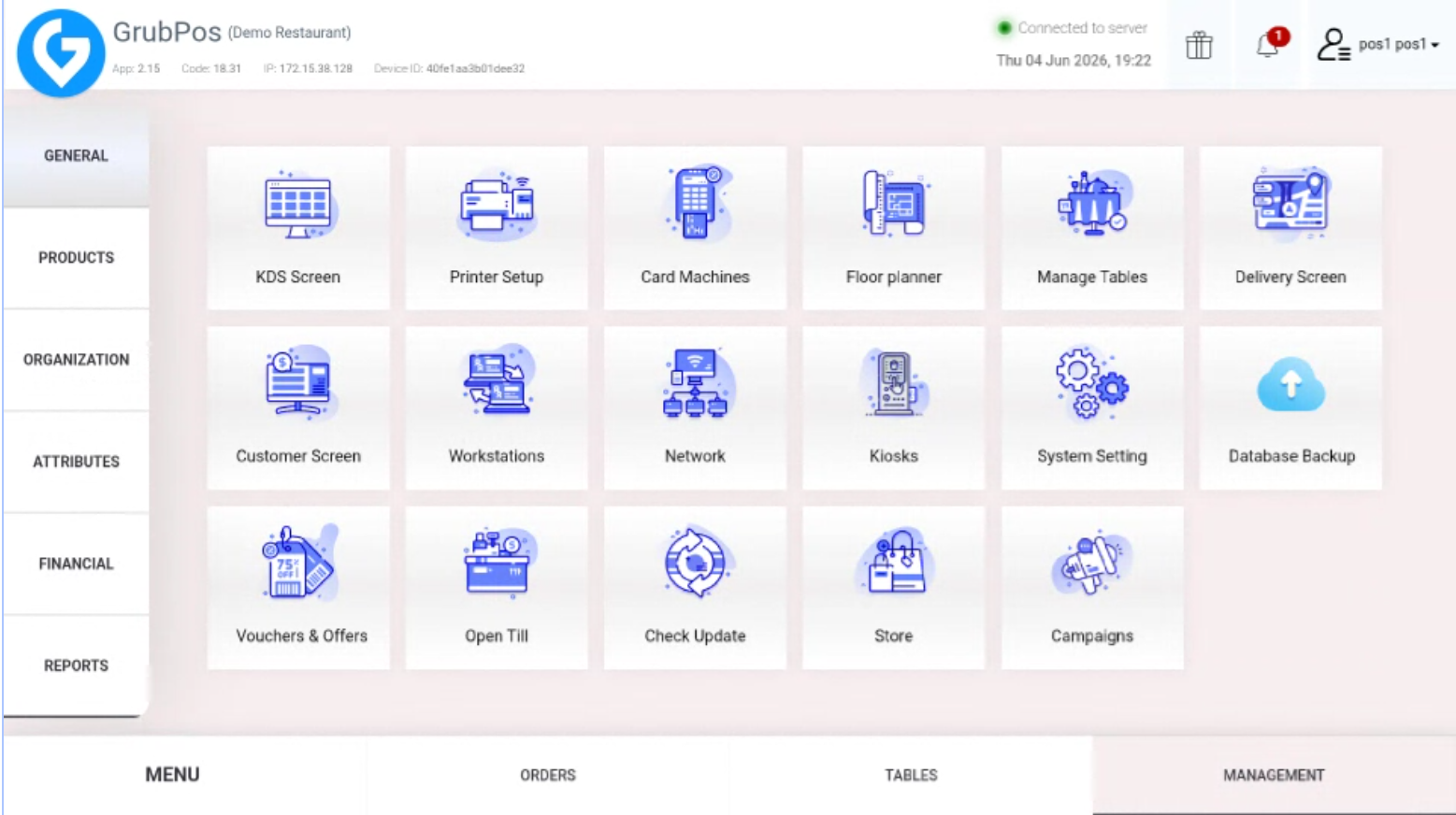
- Go to Management > General > System Setting
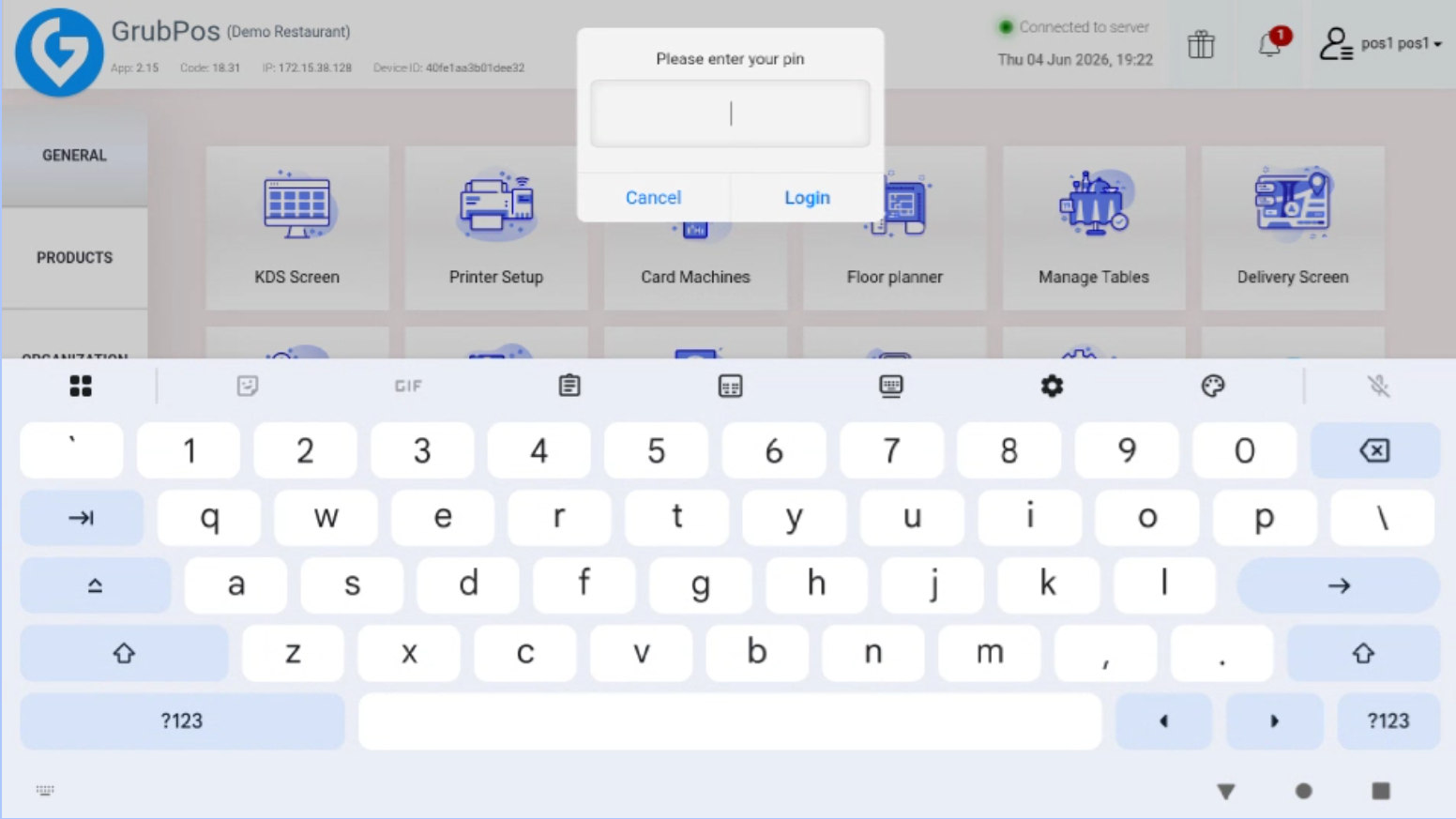
- Enter your PIN
- Go to the Open/Close tab
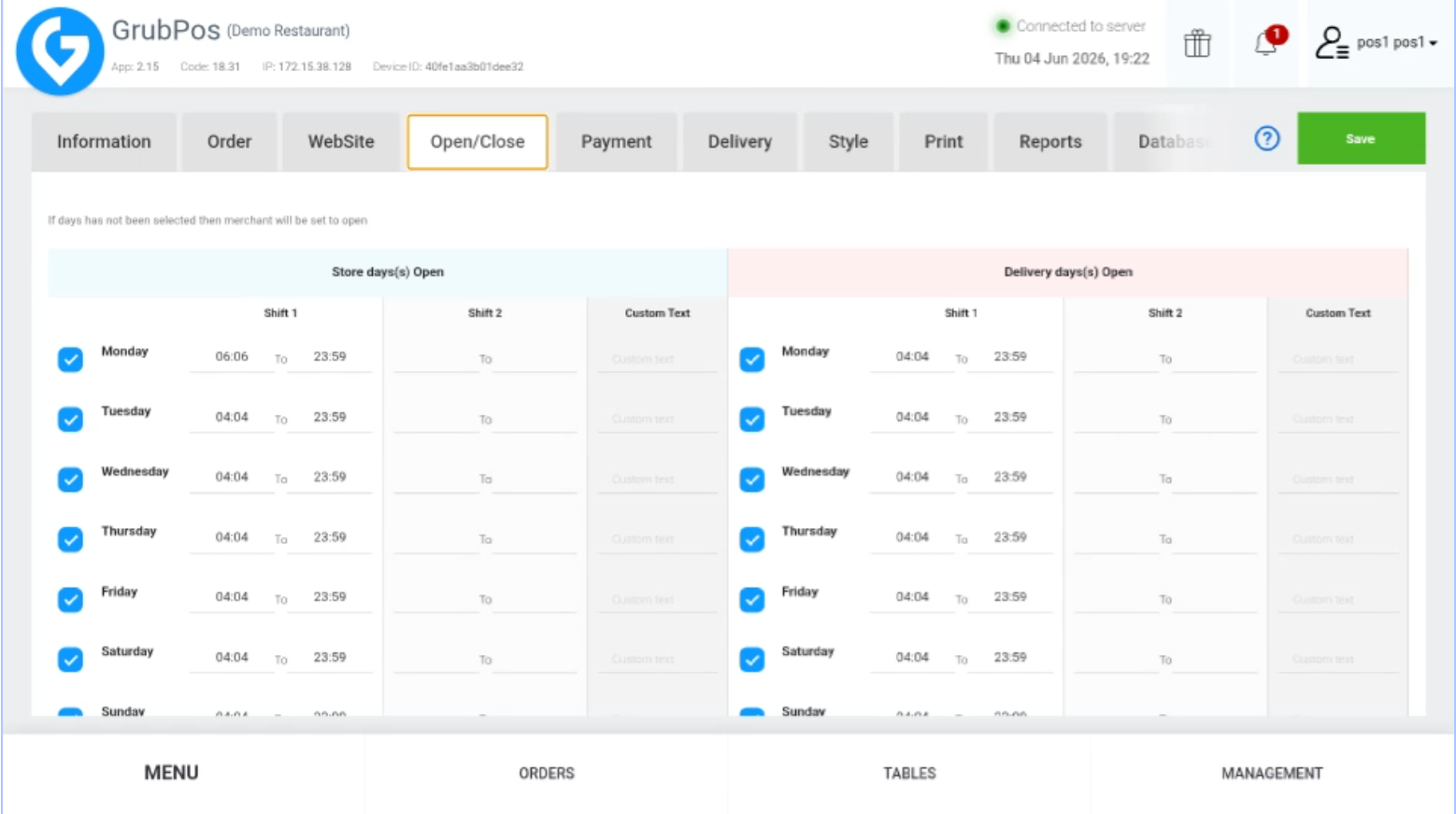
- Configure settings as needed:
- Tick the days when the store/delivery is open
- Untick the day if the store/delivery is closed
- Set opening and closing hours for store and website
- Click Save on the upper-right side of the screen
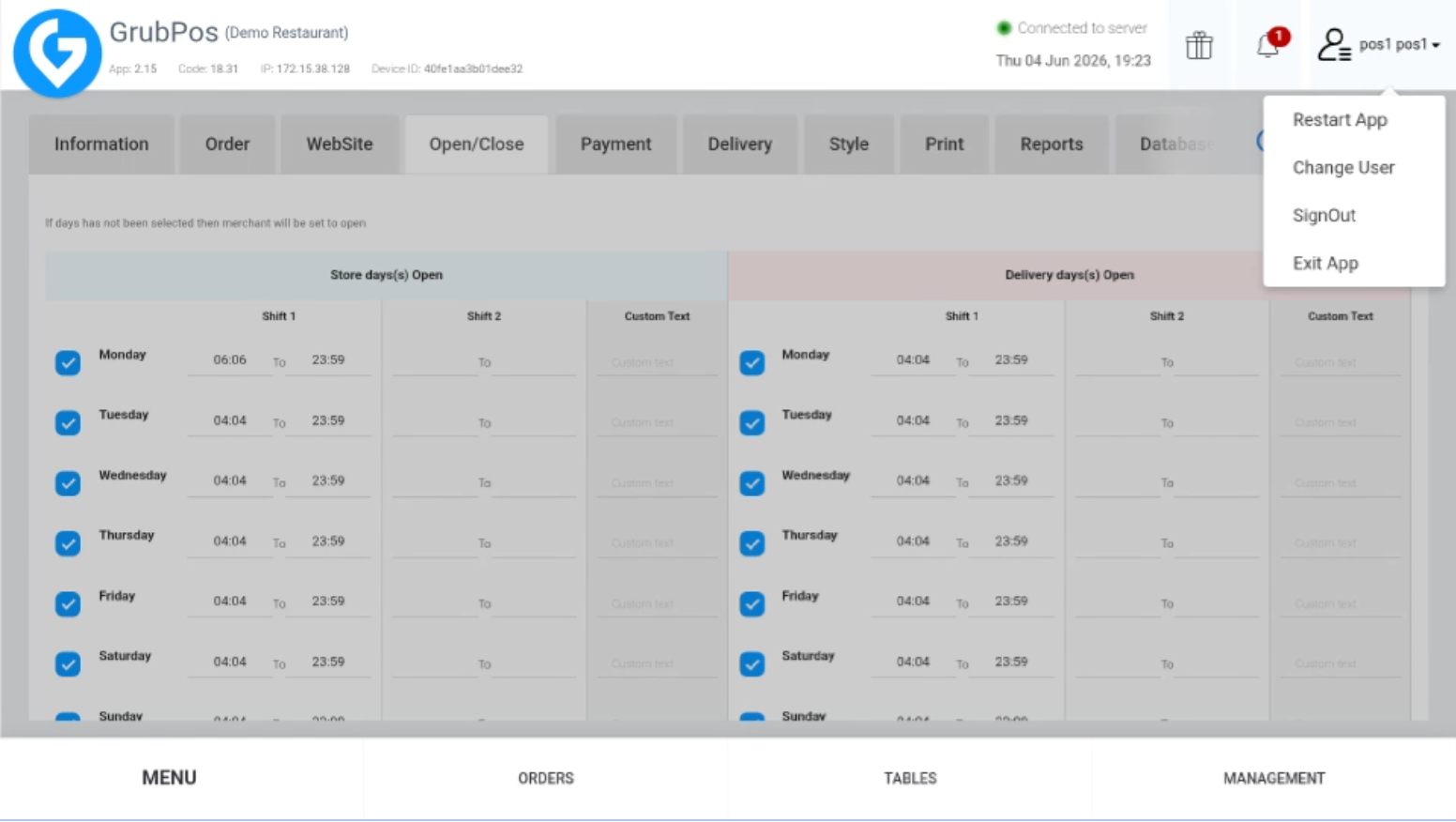
- Restart the app to apply the changes
Was this article helpful?
That’s Great!
Thank you for your feedback
Sorry! We couldn't be helpful
Thank you for your feedback
Feedback sent
We appreciate your effort and will try to fix the article