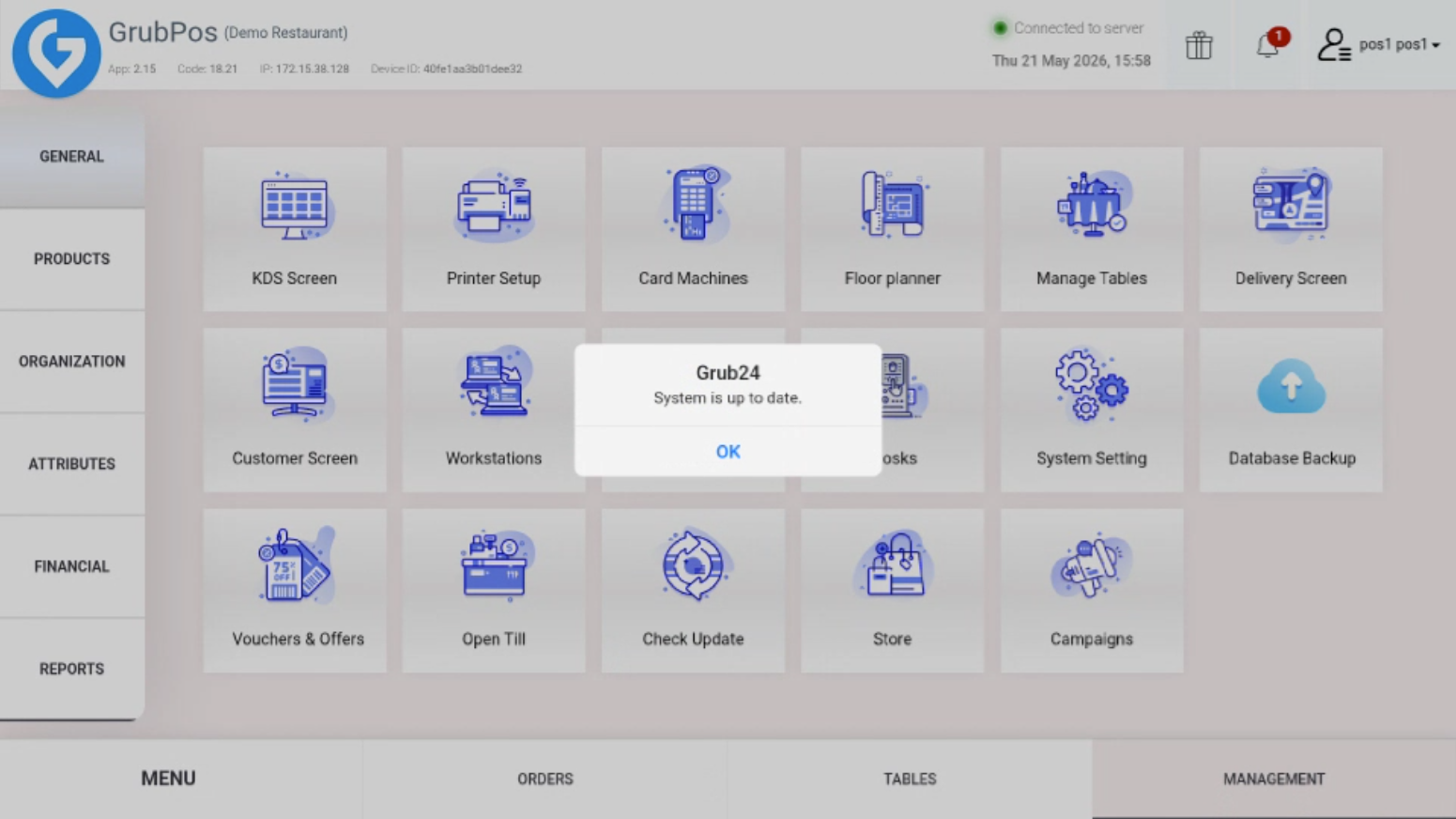
The Check Update feature in GrubPOS allows users to verify whether the system is running the latest version. It quickly checks for available updates and notifies the user if the system is up to date or requires an update.
How to Check for Updates
- Go to Management > General > Check Update
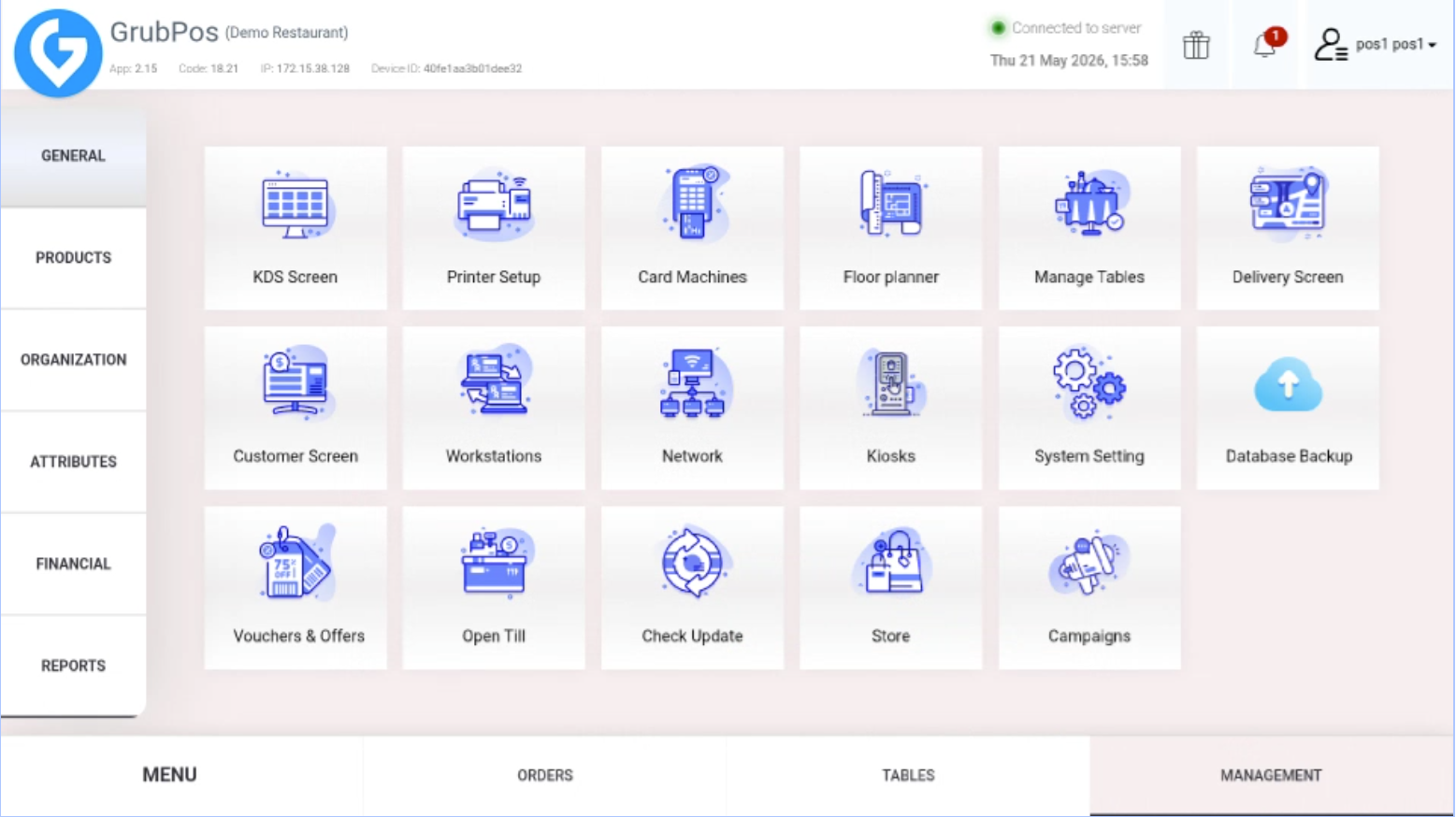
- Click Check Update. A message will appear showing whether the system is up to date or if an update is required
Was this article helpful?
That’s Great!
Thank you for your feedback
Sorry! We couldn't be helpful
Thank you for your feedback
Feedback sent
We appreciate your effort and will try to fix the article