The Open Till feature in GrubPOS is used to start and activate the cash drawer for a selected workstation.
How to Open Till
- Go to Management > General > Open Till
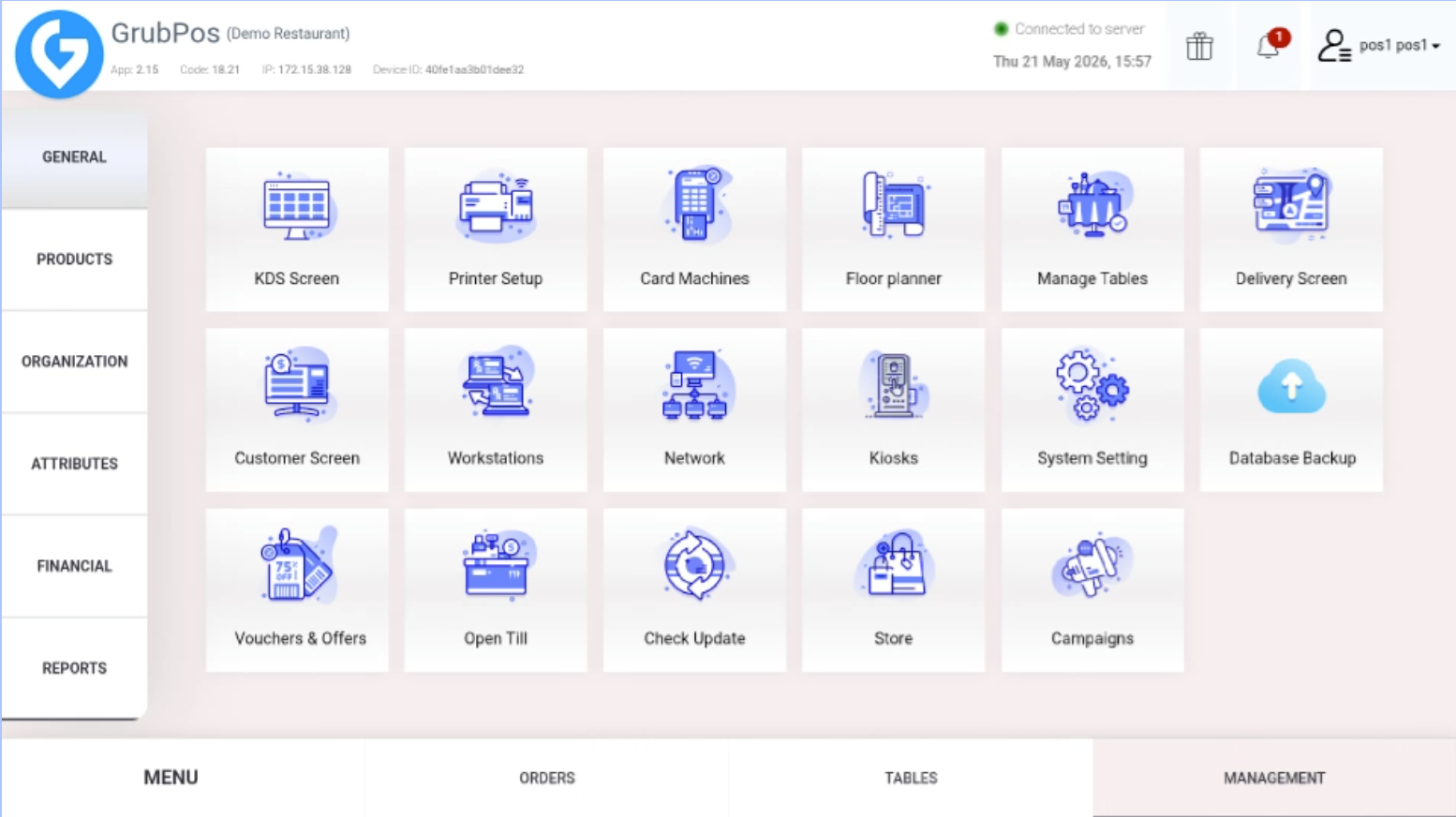
- Select the workstation
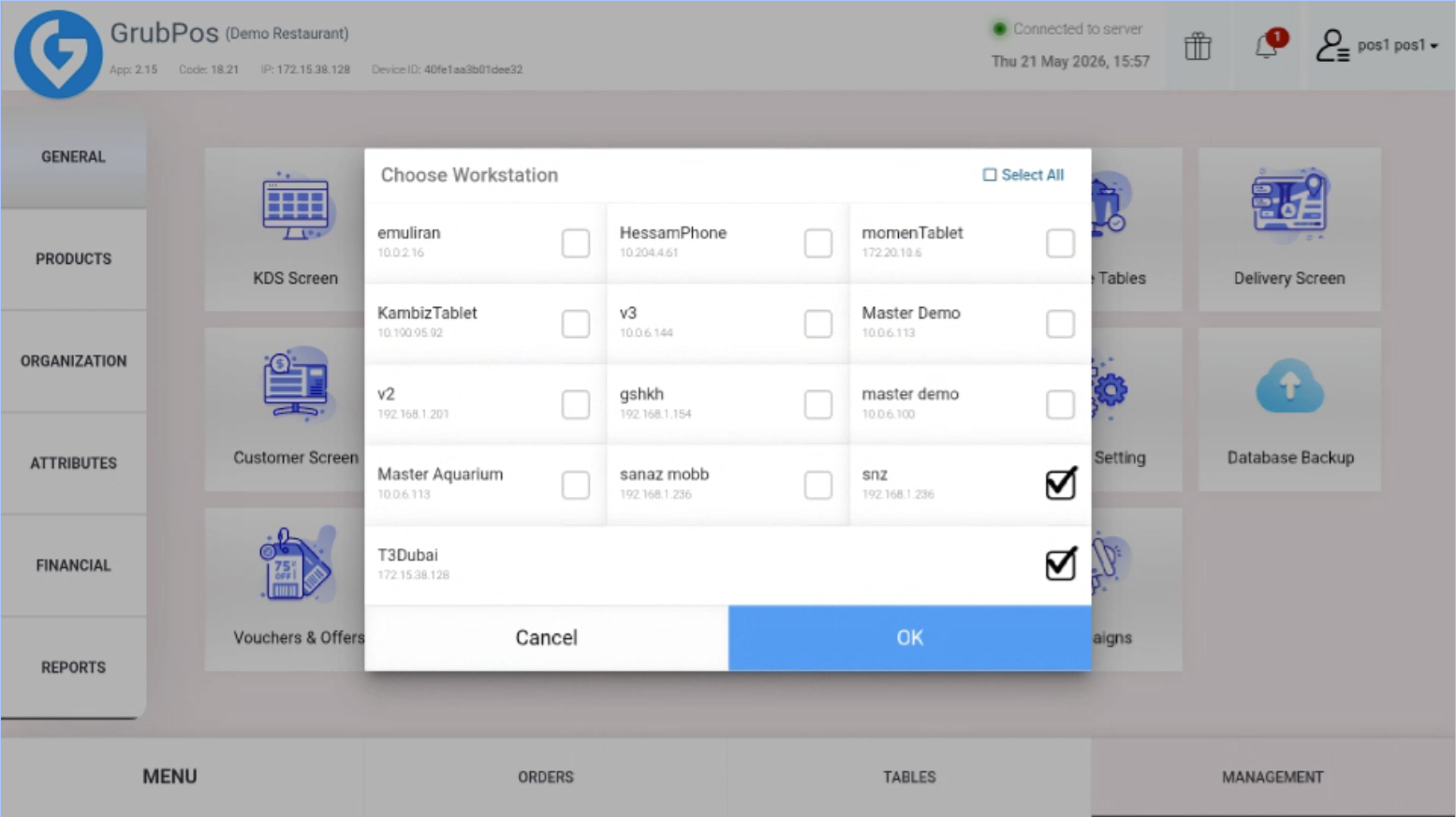
- Click OK
Was this article helpful?
That’s Great!
Thank you for your feedback
Sorry! We couldn't be helpful
Thank you for your feedback
Feedback sent
We appreciate your effort and will try to fix the article